
User Manual
Eyva
User Manual
What's in the box?
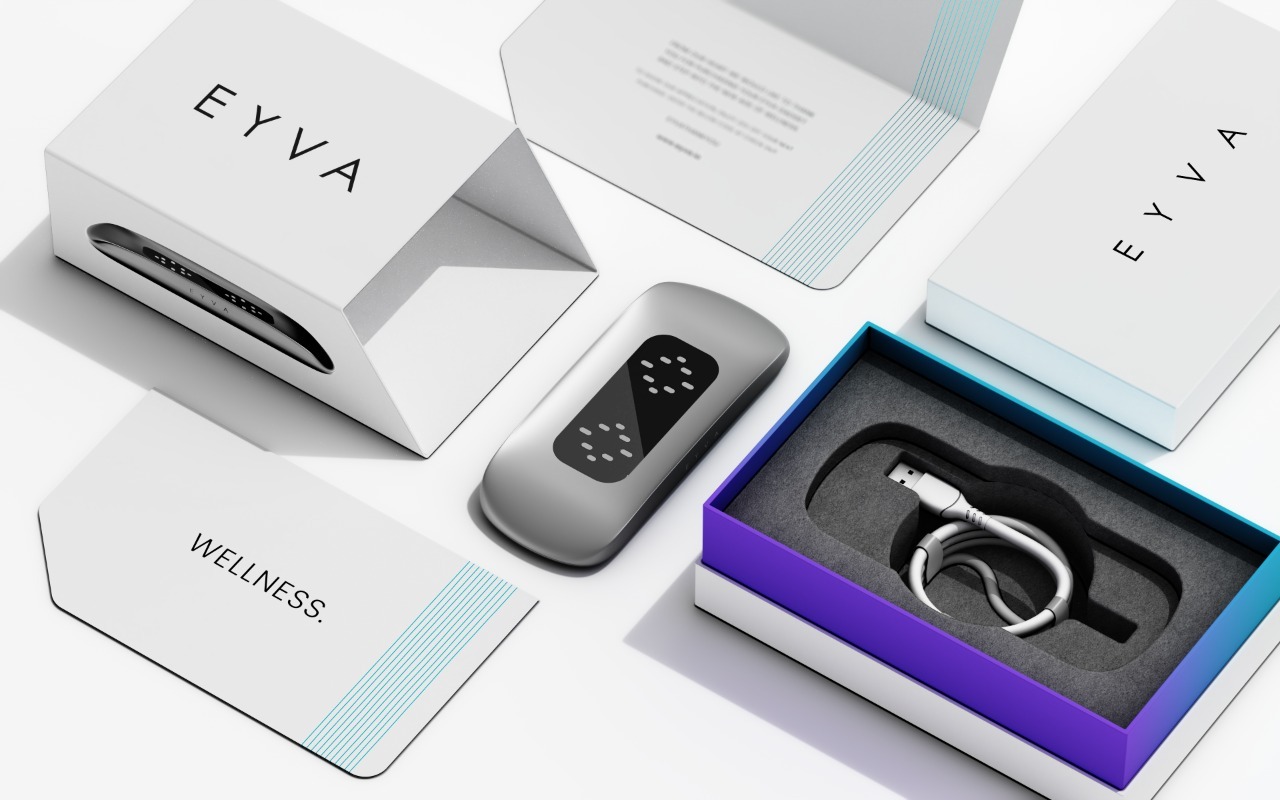
The box contains:
- Eyva Device
- Charging Cable
- Wellness Card
The included wellness card contains a QR code that provides:
- User manual
- Warranty information
- Usage instructions
- Links to download compatible mobile applications for both Android and IOS
- Video tutorial for easy understanding on how to use the gadget
- Query resolution via WhatsApp for instant assistance
All the necessary tools and resources to make the most of the gadget are provided in the package.
Getting to know
EYVA
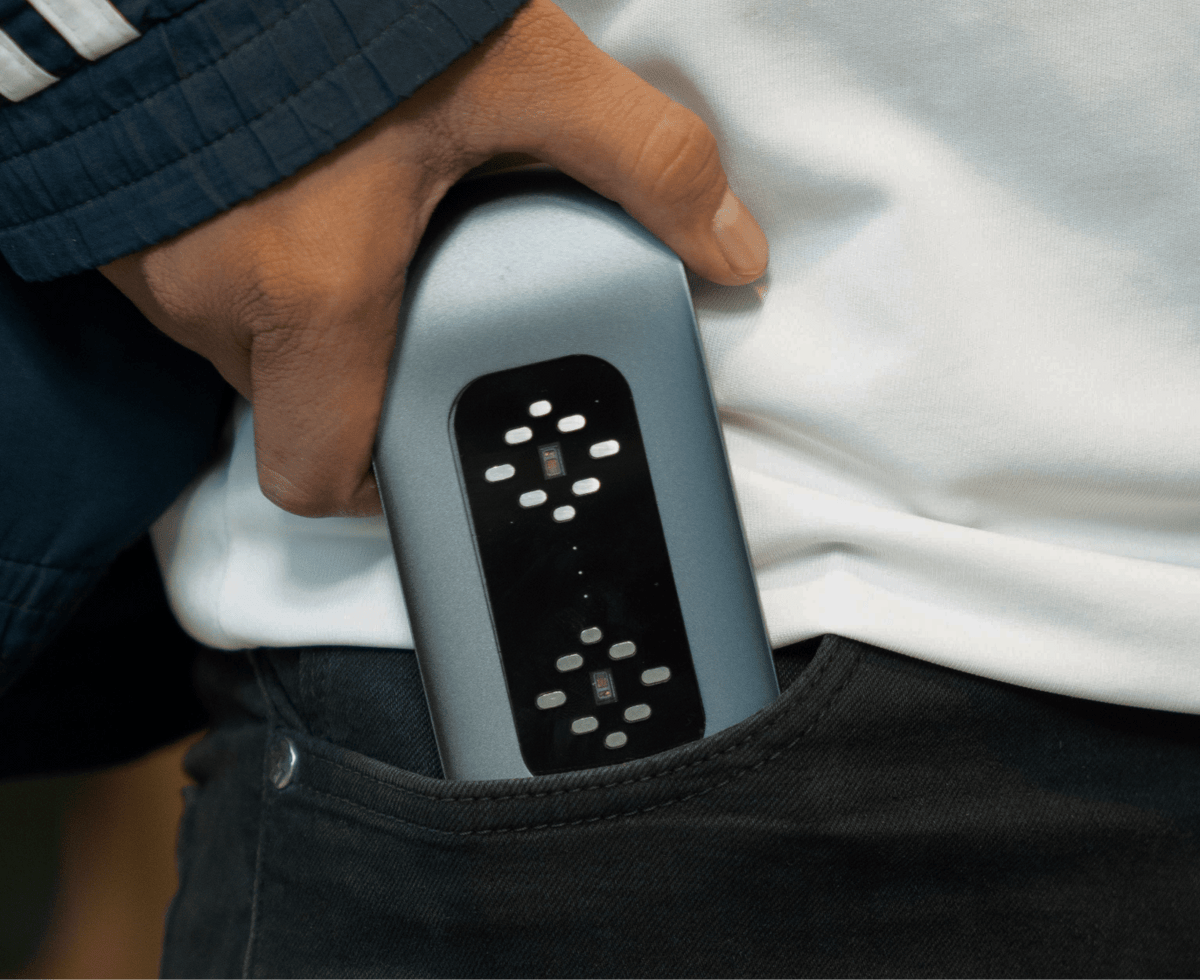
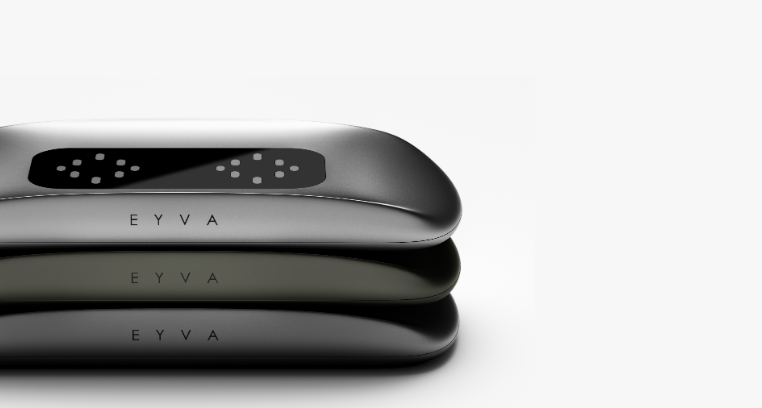
Introducing EYVA - The latest wellness gadget, designed with user experience in mind, sleek and ergonomic design which will be a perfect companion on your wellness journey. Efficiently crafted to cater to your wellness needs.
EYVA has undergone extensive development and testing to ensure a reliable, high-quality wellness experience. The device has been evaluated through rigorous quality processes and engineered to meet high standards of build quality and consistency.
Efficiently crafted to cater to your wellness needs.
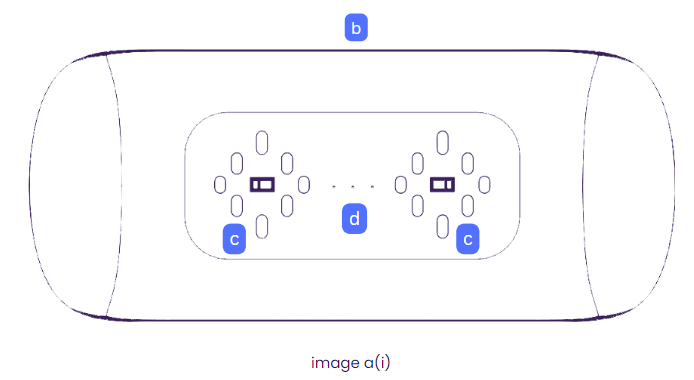
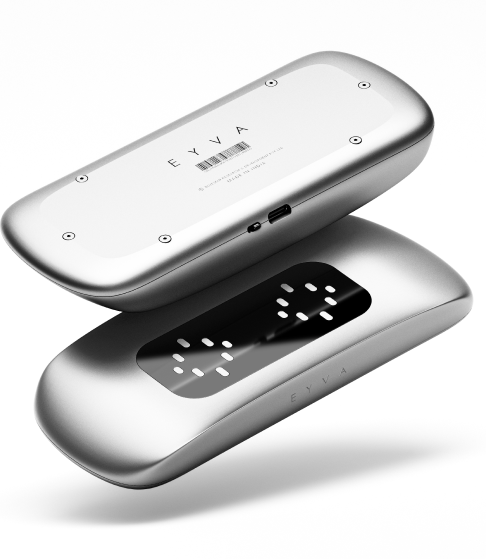
The Gadget Overlook is illustrated in the image a(i)
As Illustrated in the image,
- Section b illustrates the switch placement in the gadget.
- Section c illustrates the Sensors placement in the unit.
- Section d illustrates about the three indication LEDs which are further discussed as luminary triad.
Switch
To TURN ON the gadget, SLIDE the switch in the opposite direction of the USB-C port as illustrated in image b(i).
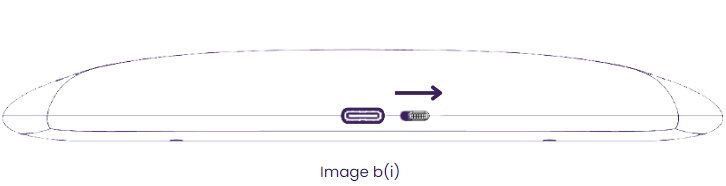
- When activating the gadget, avoid applying excessive force when sliding the switch as it could cause damage to the unit.
- Make sure to fully engage the switch in the opposite direction of the USB-C port for proper activation of the gadget, as depicted in illustration b(i).
- To TURN OFF the gadget, SLIDE the switch towards the USB-C port as illustrated in image b(ii).
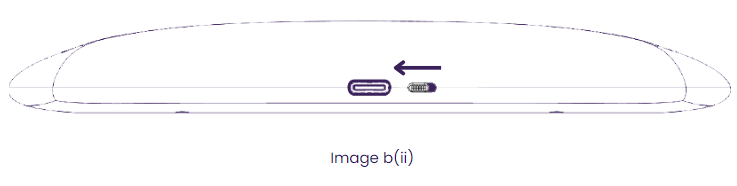
Sensors
The gadget features multiple sensors, strategically placed in two distinct areas as indicated in the accompanying illustration image c(i).
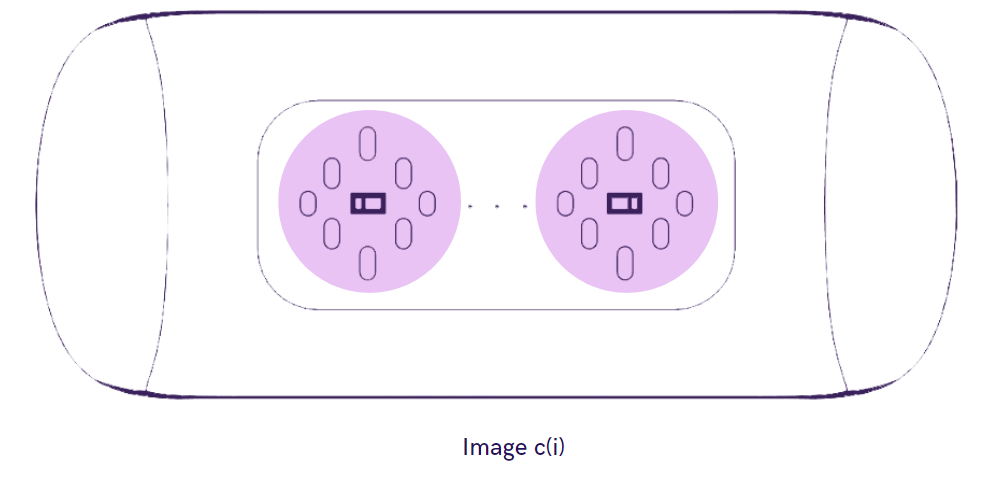
These sensors are critical for providing optimal performance and functionality of the gadget, hence periodic cleaning the sensors with a microfiber cloth helps ensure the best performance.
LED Indicators
The three LEDS at the centre of the gadget- the luminary triad - lights up to give certain specific indications to the user upon switching ON the unit.
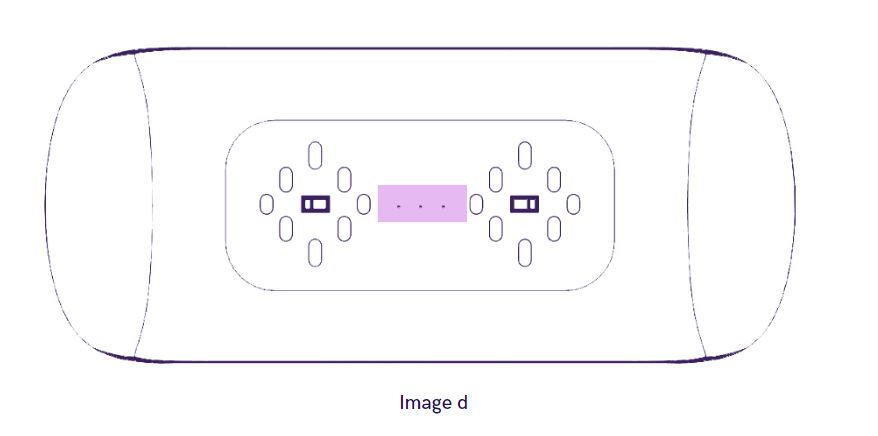
The three LED Indicating colours are:
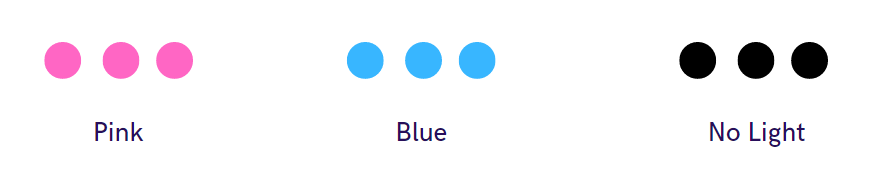
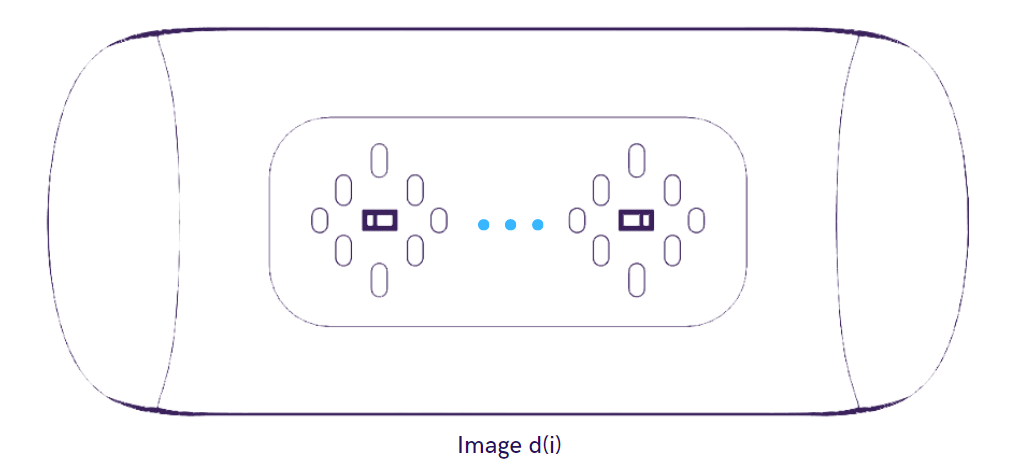
The Blue light from the luminary triad indicates that the gadget is ready to connect to the application as illustrated in image d(i).
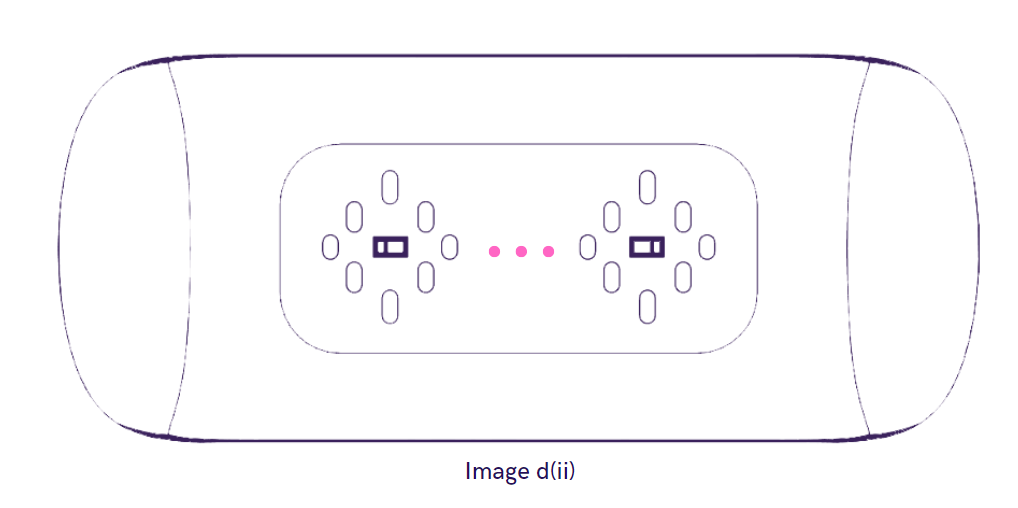
When the luminary triad turns pink, it indicates critically low battery and requirement for charging as illustrated in image d(ii).
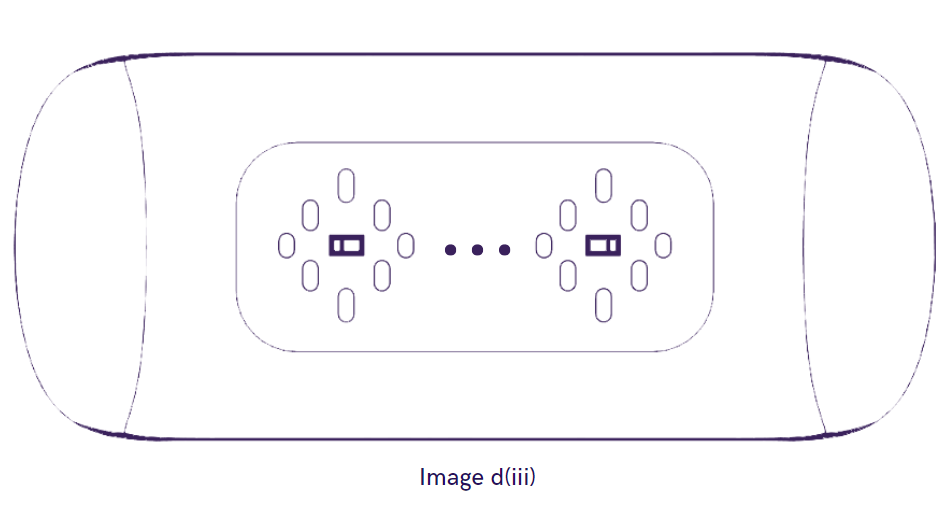
No light from the luminary triad upon turning the unit ON, indicates that the gadget is completely discharged as illustrated in image d(iii).
Charging Port
& Specifications
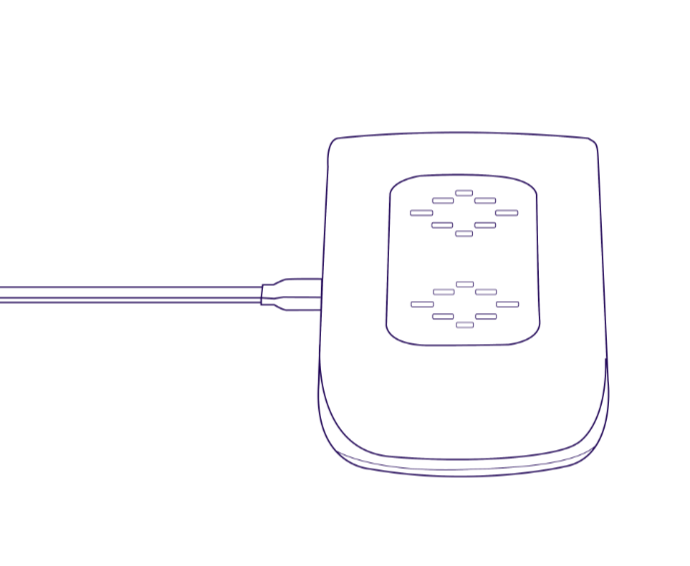
EYVA Gadget is equipped with a rechargeable battery, Follow the instructions mentioned below for charging the gadget.
- Use a 5v, 1Amp Adapter to Charge the unit.
- Connect one of the provided USB C cable to EYVA and the other end to Charger.
- The Gadget DOES NOT have an on-board Charging Indication.
- Always ensure the switch position is turned off while charging the gadget.
- Charging the gadget for 2 hours is recommended before using the unit for the first time.
- Ensure a firm connection between the USB-C port of the gadget and the Charging cable for optimal charging.
Points to
Remember
- EYVA's wellness insights become more personalized with consistent use.
- We recommend completing at least 30 scans in your first few days so EYVA can learn your unique patterns and establish your personal baseline.
- Your early wellness scores may vary as EYVA builds your profile - this is completely normal and improves naturally over time.
- The more you scan, the better EYVA understands your body.
Please note that wellness scores are based on usage patterns and user-provided inputs.
- For best results, use EYVA in a comfortable, room-temperature environment. Air conditioning may affect scan quality.
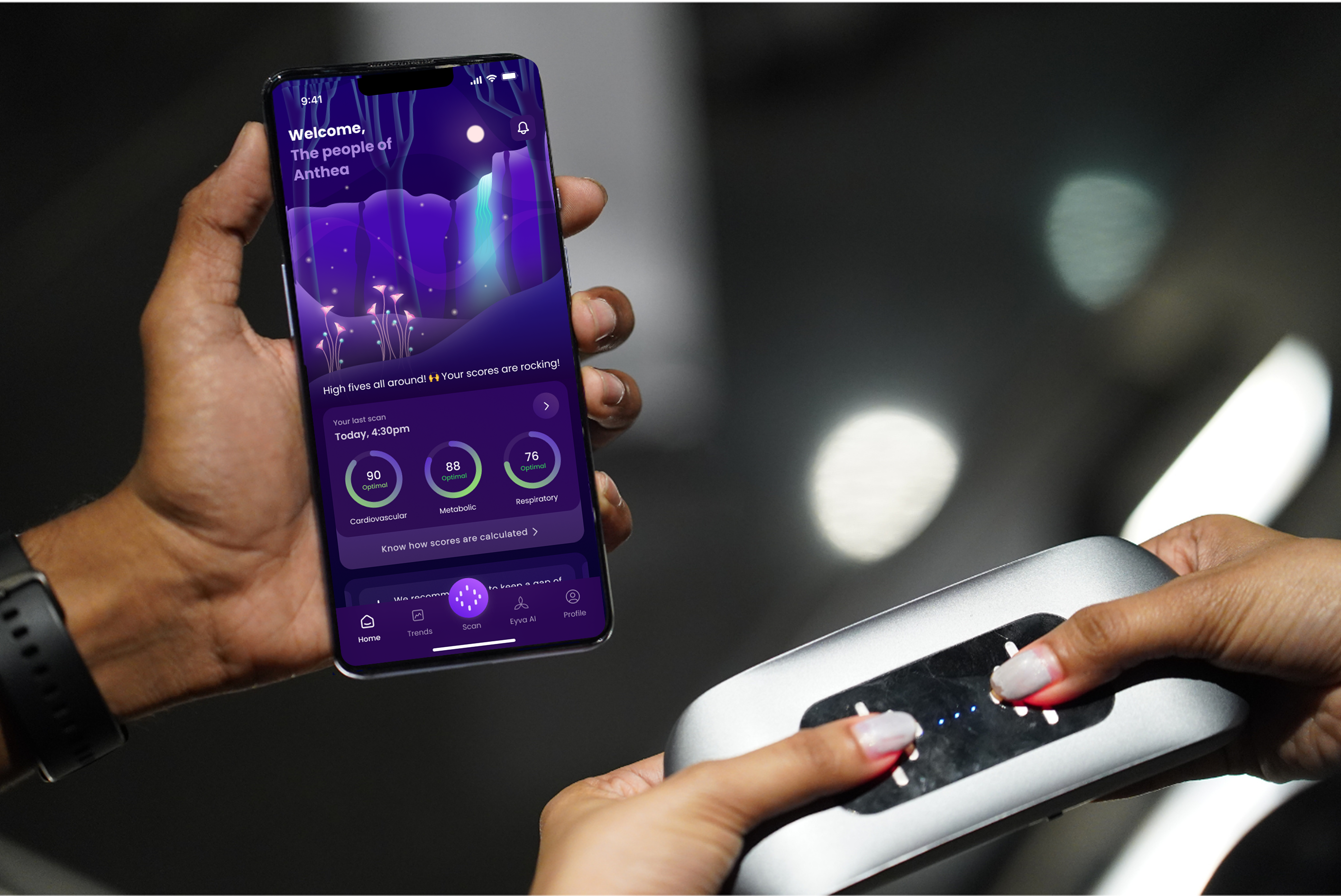
- Once you turn on EYVA do not cover the sensors. Wait for a bit and then place your thumbs. Press gently & place the tip of your thumb, covering the red light sensors completely.
- Cover the sensors with light to moderate pressure. Excessive pressure may affect your scan results.
- Please do note, we recommend EYVA to individuals who are aged 18 +.
For optimal results always ensure to follow the Guidelines.
Care and
maintenance of
the gadget
- While scanning, touch should be gentle with medium pressure. Pressing hard should be avoided.
- Scans should be taken with clean, dry hands. Oil deposits and other impurities on the skin can affect scan quality.
- Keep it at a distance from water, any other liquids, and direct sunlight.
- Keep it away from the reach of children.
- Charge the gadget as soon as the luminary triad turns pink.
Getting
Started with
the
Eyva App
App Download
Below are the steps to download the EYVA application on the mobile/device.
Android App download
- Visit Playstore - Click HERE for the link
- Download the EYVA app
iOS App download
- Visit App Store - Click HERE for the link
- Download the EYVA app
Supported OS
Ensure that the device has following specified OS versions for the EYVA app to work efficiently:
IOS :- iOS 15.0 and above
Android :- Android version 8.0 (API 26) and above
BLE version: - 4.1 (Bluetooth) and above
App Login
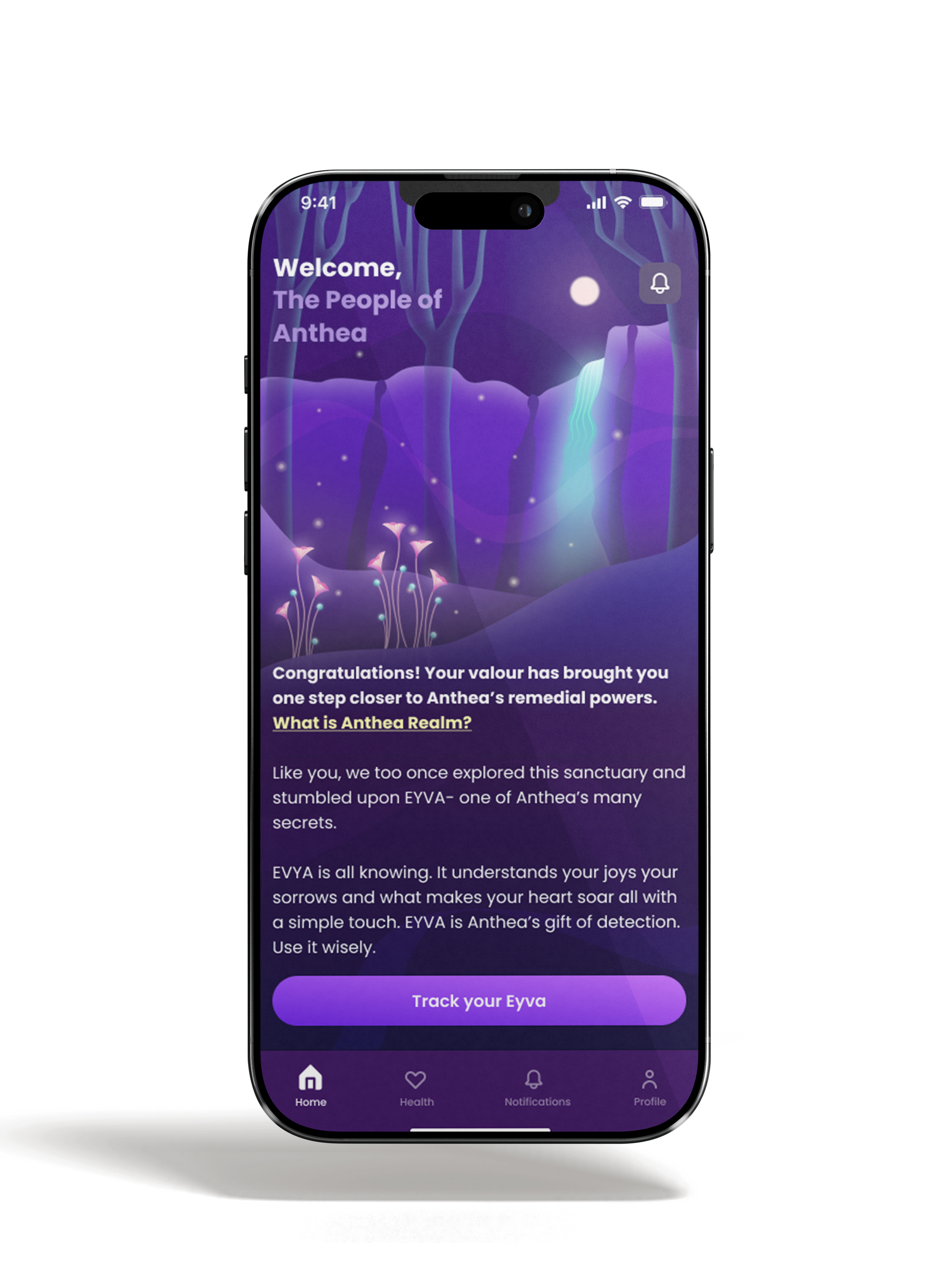
EYVA app has a Robust Blockchain algorithm which automatically decides the flow of the app just based on the mobile number of the user. If a new user has logged in the app with an un-registered mobile number, EYVA app flow takes you to a pre-app which is designed to share more information about the EYVA gadget and its significance in lifestyle tracking.
To start taking scans from EYVA ensure to login into the EYVA app using the same phone number which was used while placing order for the gadget.
Permissions
Enable the following permissions on the device:
- Location
- Bluetooth
- Nearby devices (For latest Android Versions)
Users already logged into pre-app:
- Users already logged into pre-app can access the main app by logging out and logging in again.
- Users must enter the same phone number which was used while ordering EYVA.
- Users must ensure to update and have the most recent version of the app.
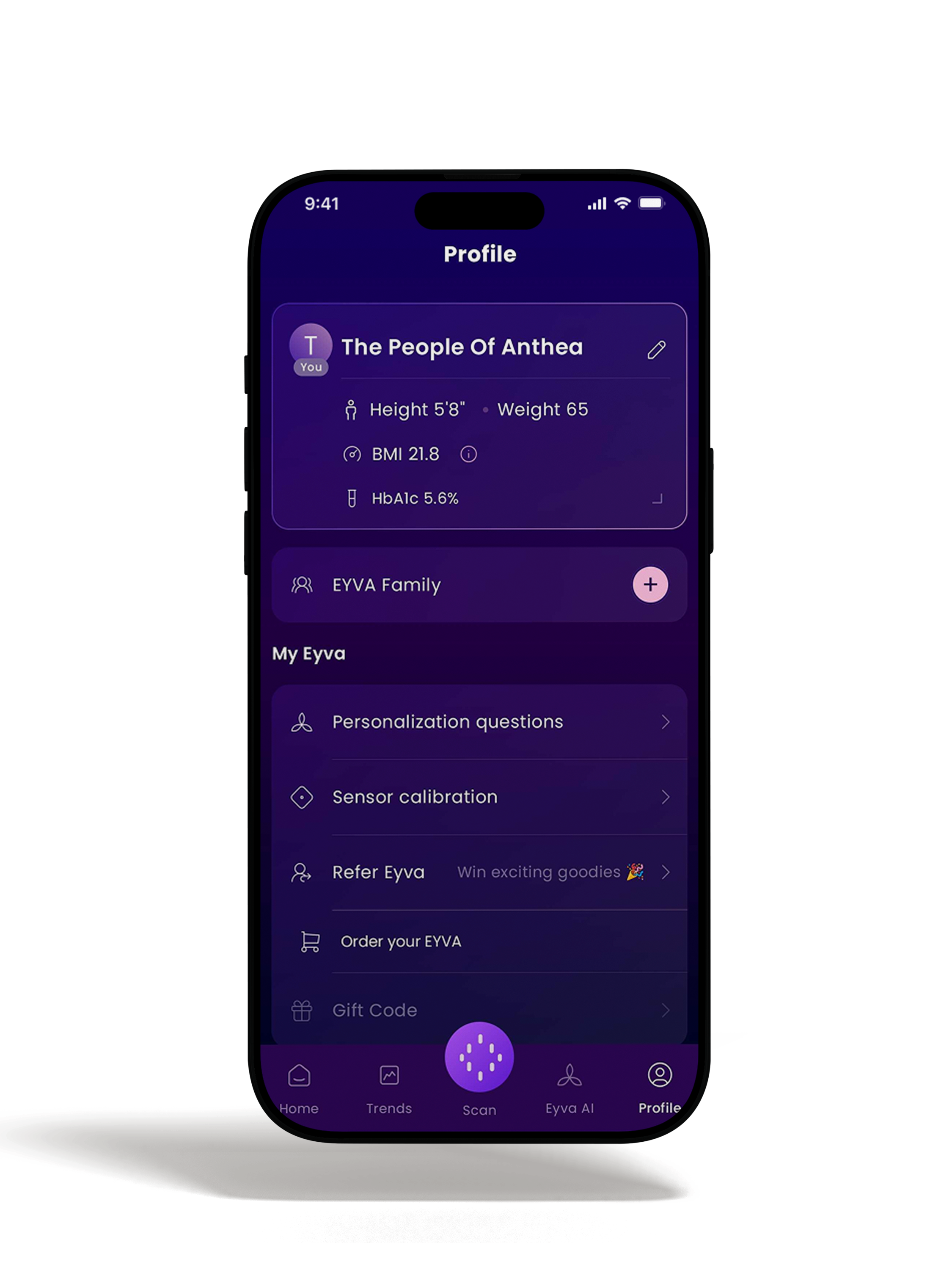
Note: The above mentioned details are based on user-provided inputs.
Connecting EYVA
to your mobile
To connect EYVA with the virtual world of wellness, Anthea Realm:
1. Turn on the location, Bluetooth, and wifi or mobile data.
2. Open the EYVA app.
3. The luminary triad must light up in blue when the app is opened.
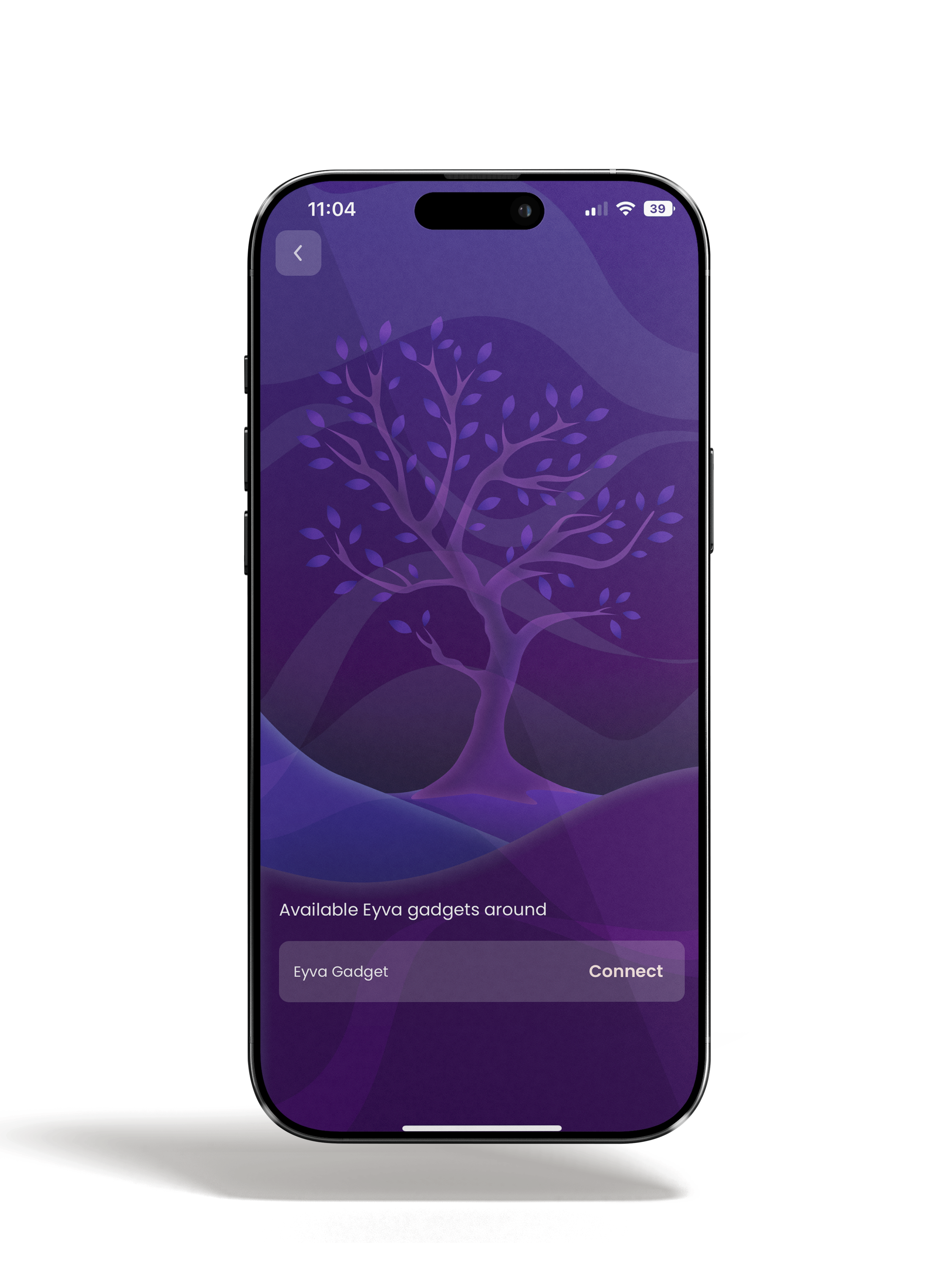
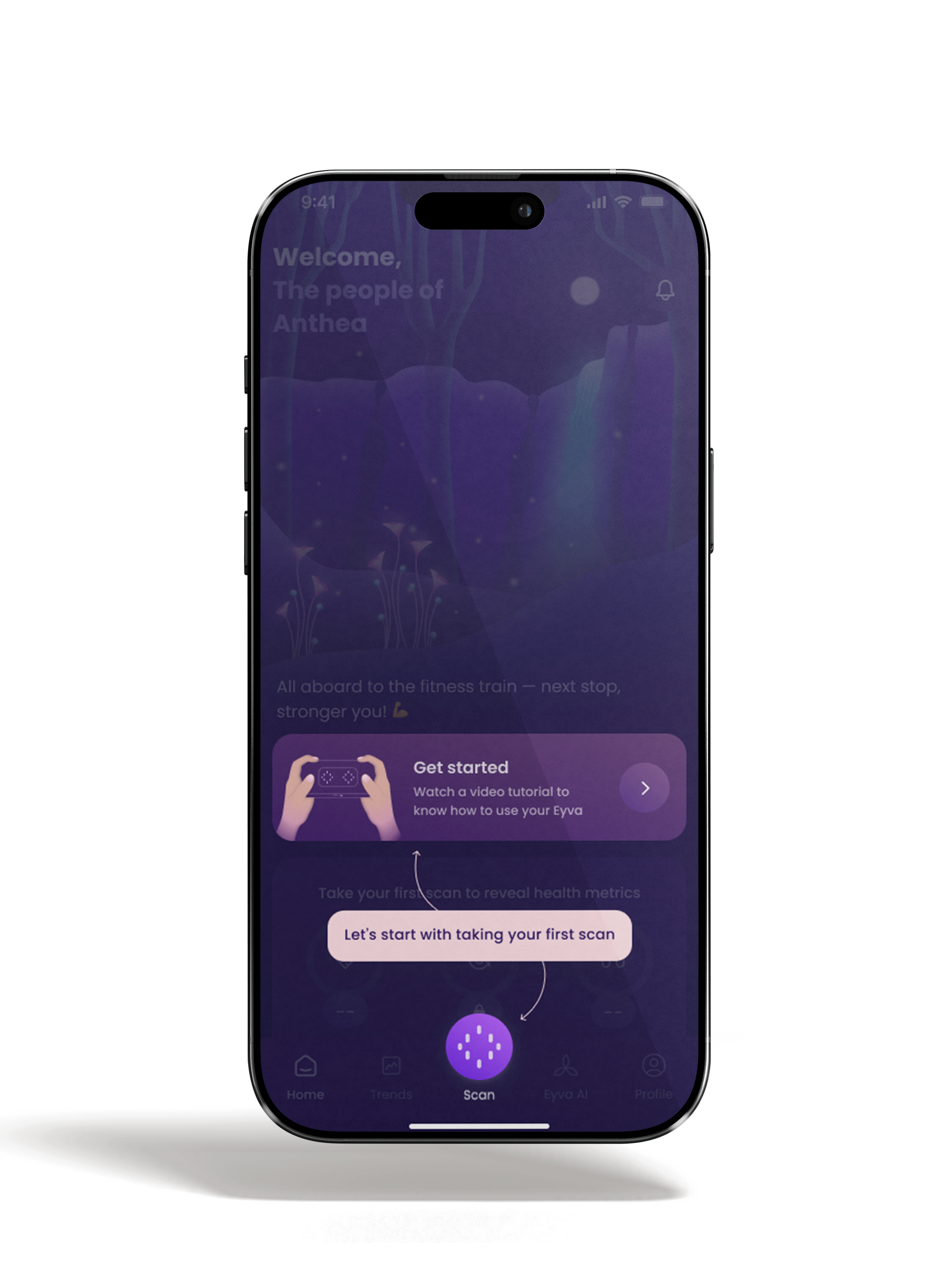
4. Click on "Scan" button.
5. Look for "EYVA wellness device".
6. Tap on "connect".
How to use EYVA App
Here's how to use EYVA the right way.
1. After the gadget gets connected, click on "Scan" button.
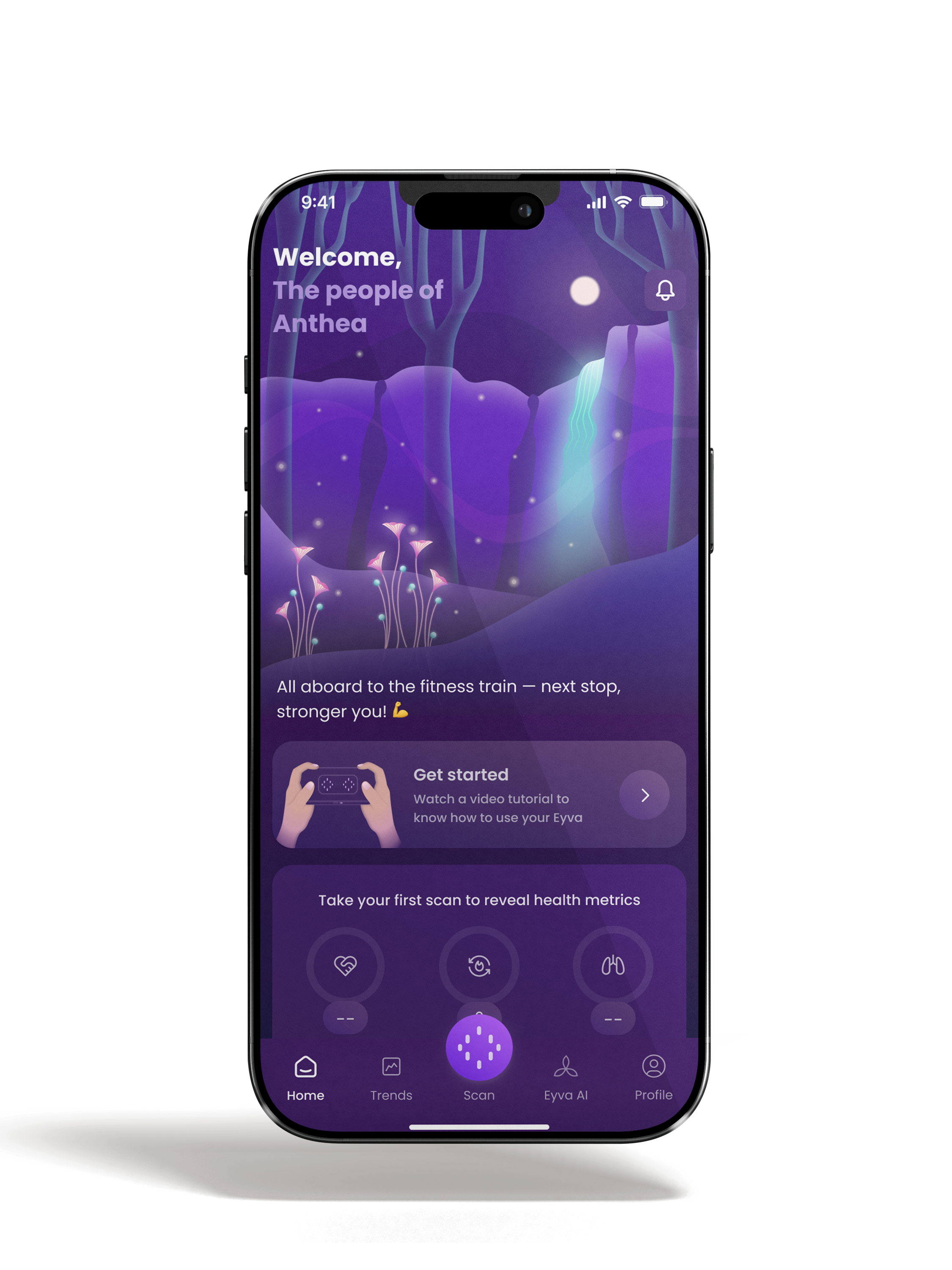
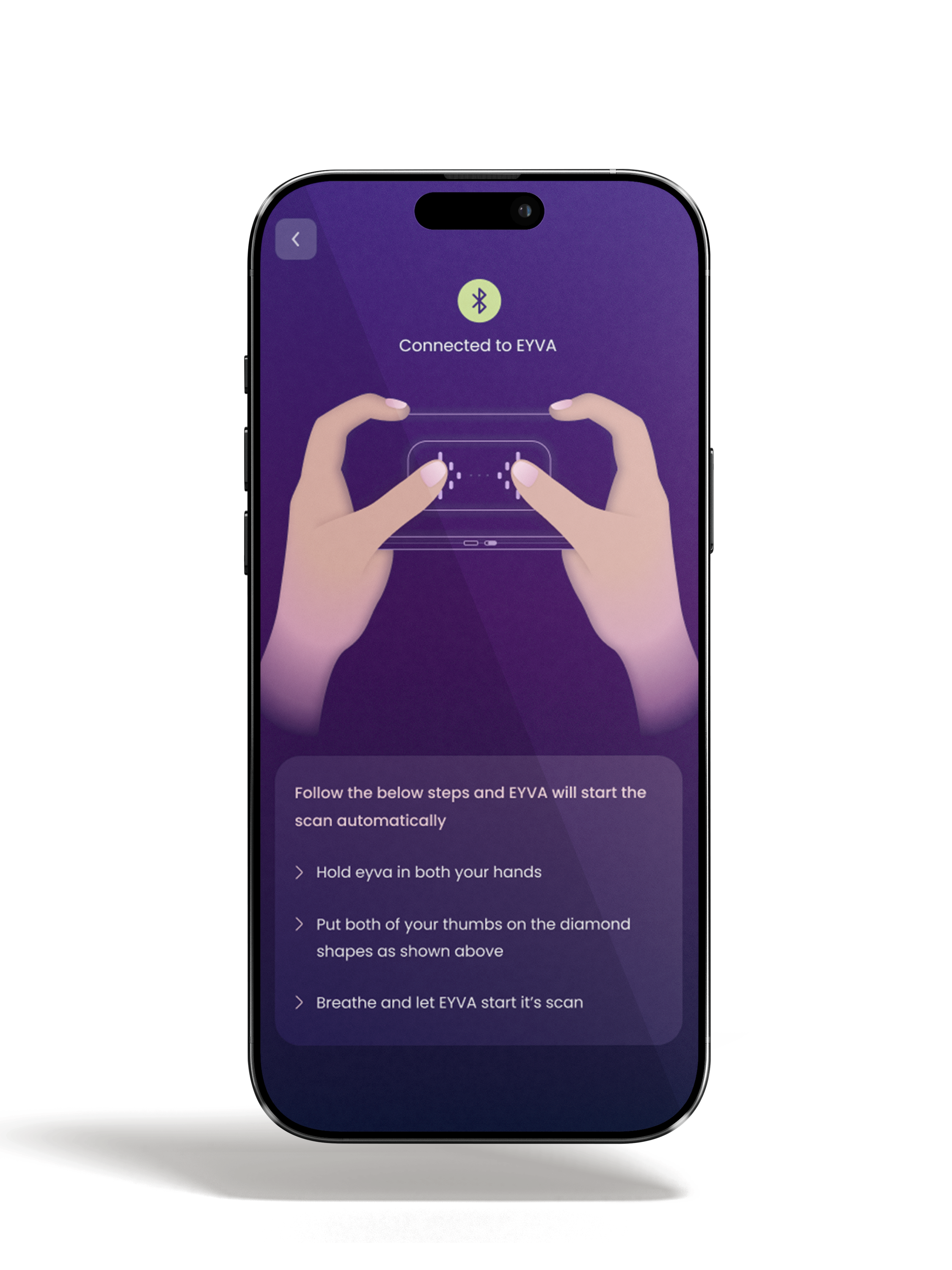
2. Place the thumbs on sensors gently and breathe calmly.
3. A round scroll appears to adjust the position of fingers.
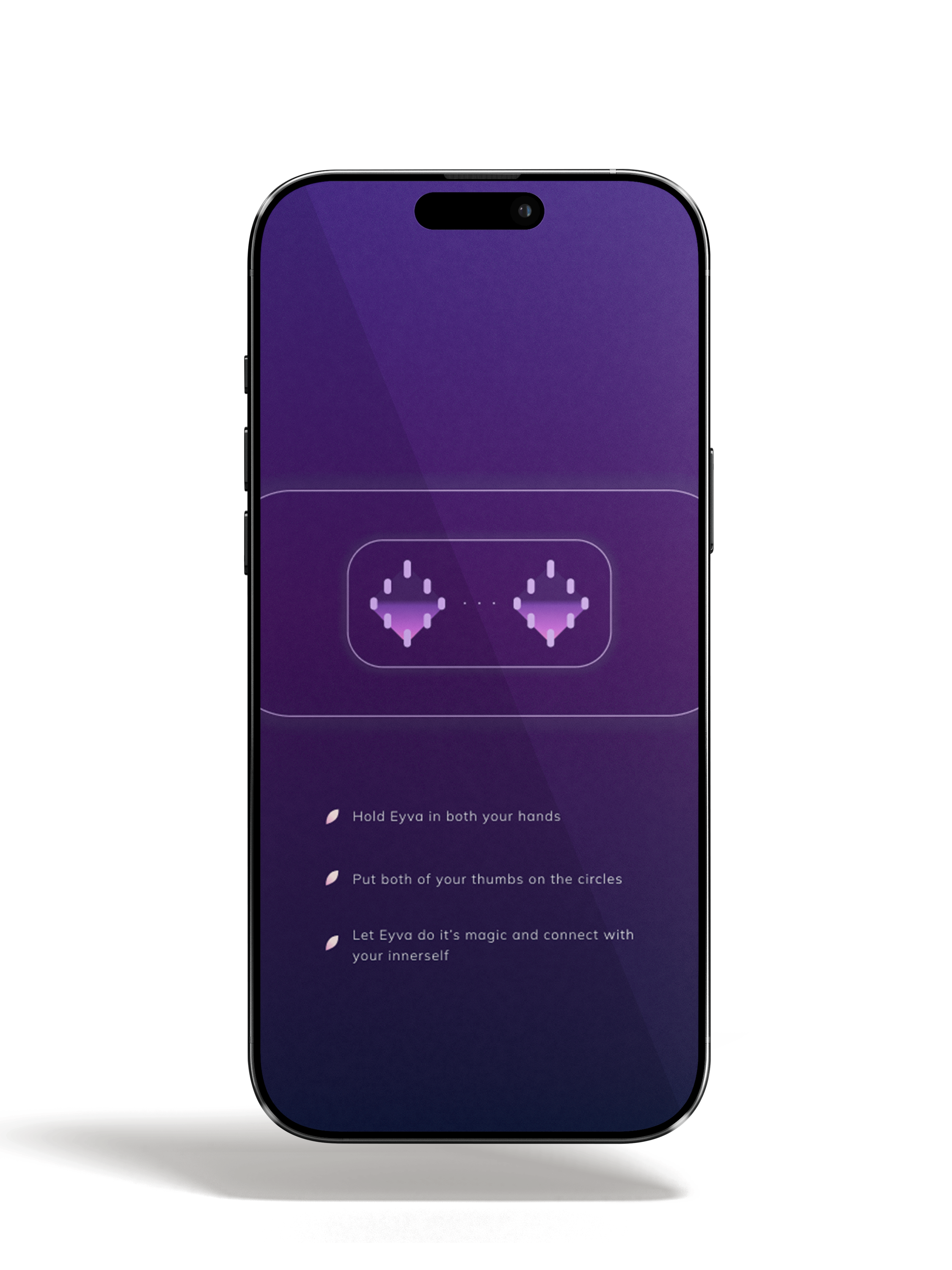
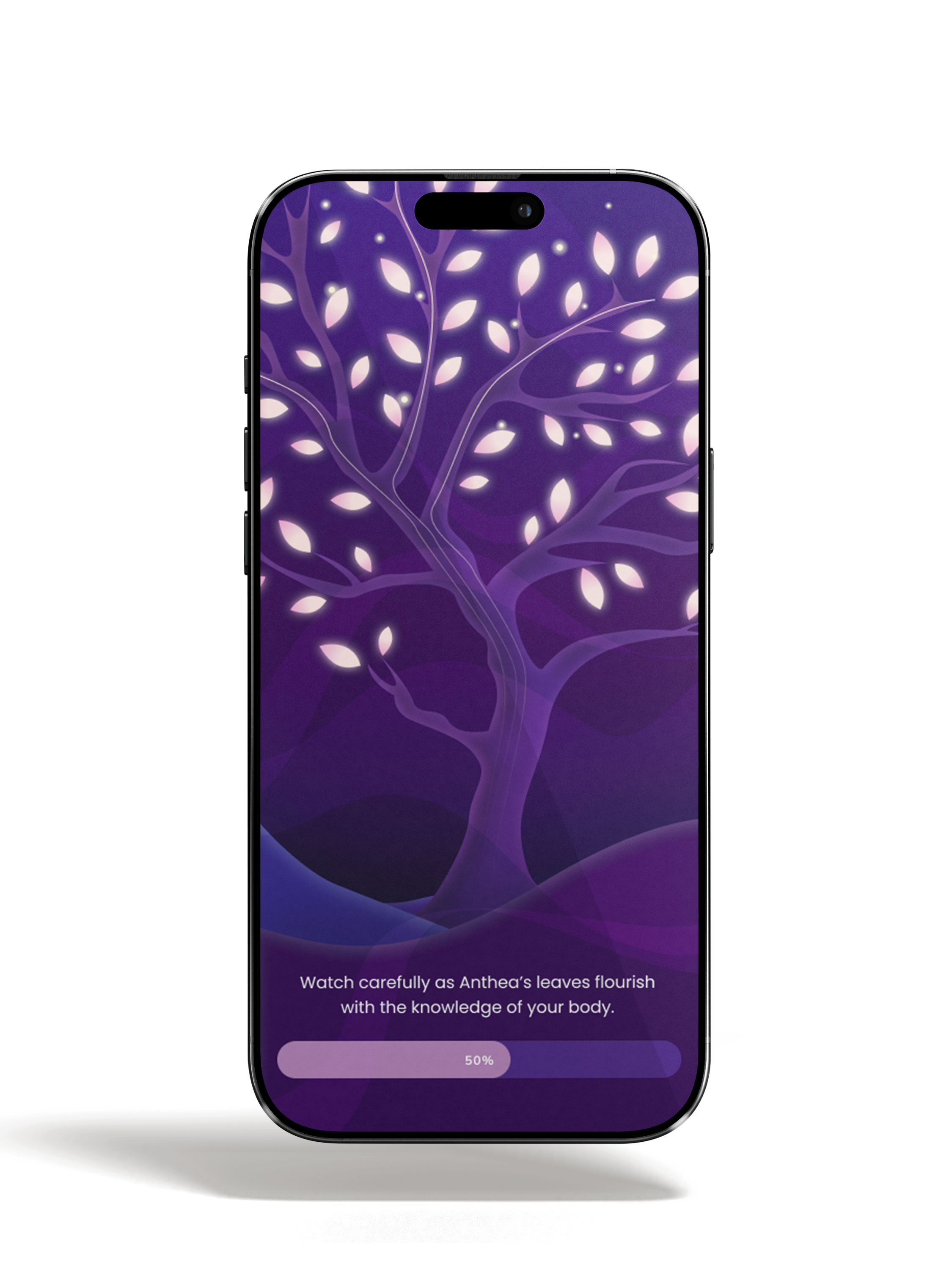
4. Wait for progress bar to complete 100%.
5. Click on "check results".
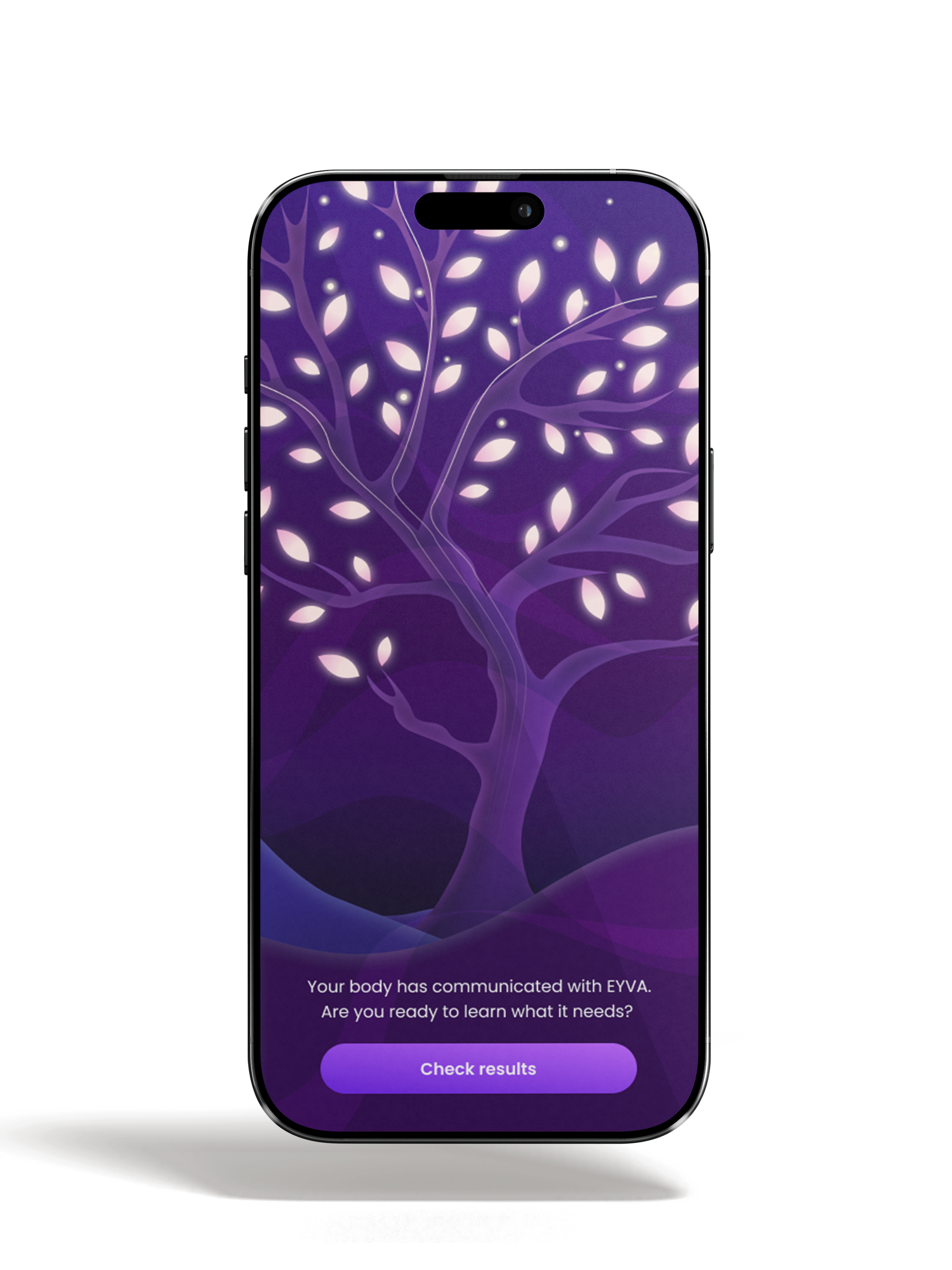
6. Repeat in same steps for taking further scans.
7. Scroll down and tap on "done" to go back to home page.
Note: All insights and metrics are intended for general wellness awareness and trend observation only, and are not intended for medical diagnosis, treatment, or clinical use.
Wellness Scores
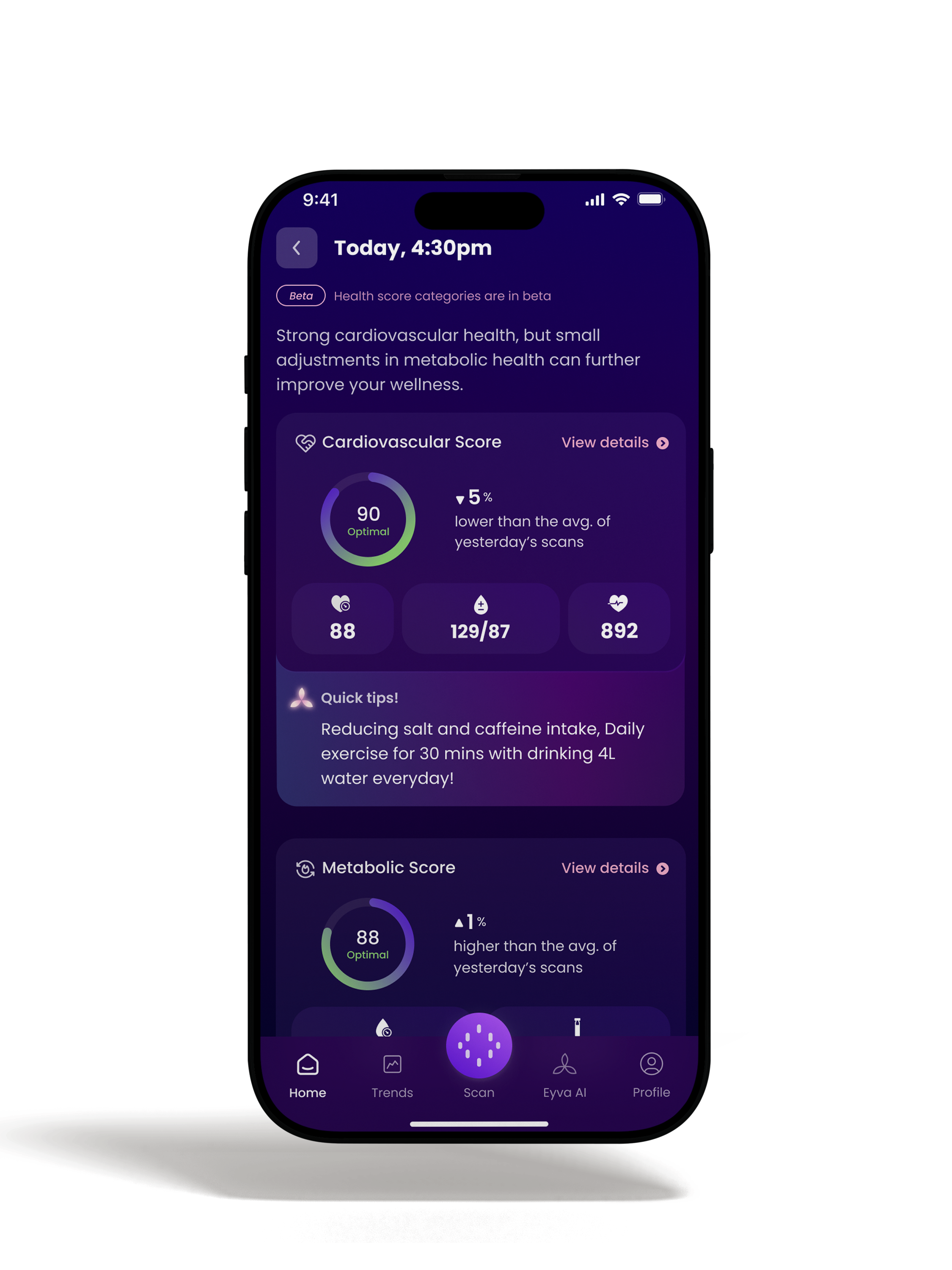
Cardiovascular Score
A personalized way to understand how your heart is responding to daily activities, rest, and stress. Built using trends from heart rate, heart rate variability, and related cardiovascular wellness signals to help you stay aware of your cardiovascular patterns over time.
Metabolic Score
A personalized view of how your body manages energy and nutrition each day. Built using metabolic signal patterns and wellness inputs to help you understand your metabolic trends over time.
Respiratory Score
A personalised way to understand how efficiently your body is using oxygen during daily life. Built using oxygen-level trends and related inputs to help you stay aware of your respiratory wellness patterns.
Disclaimer: For general wellness awareness and trend observation only. Not intended for medical diagnosis, treatment, or clinical use. Outputs are based on usage patterns and user-provided inputs over time.
Insights
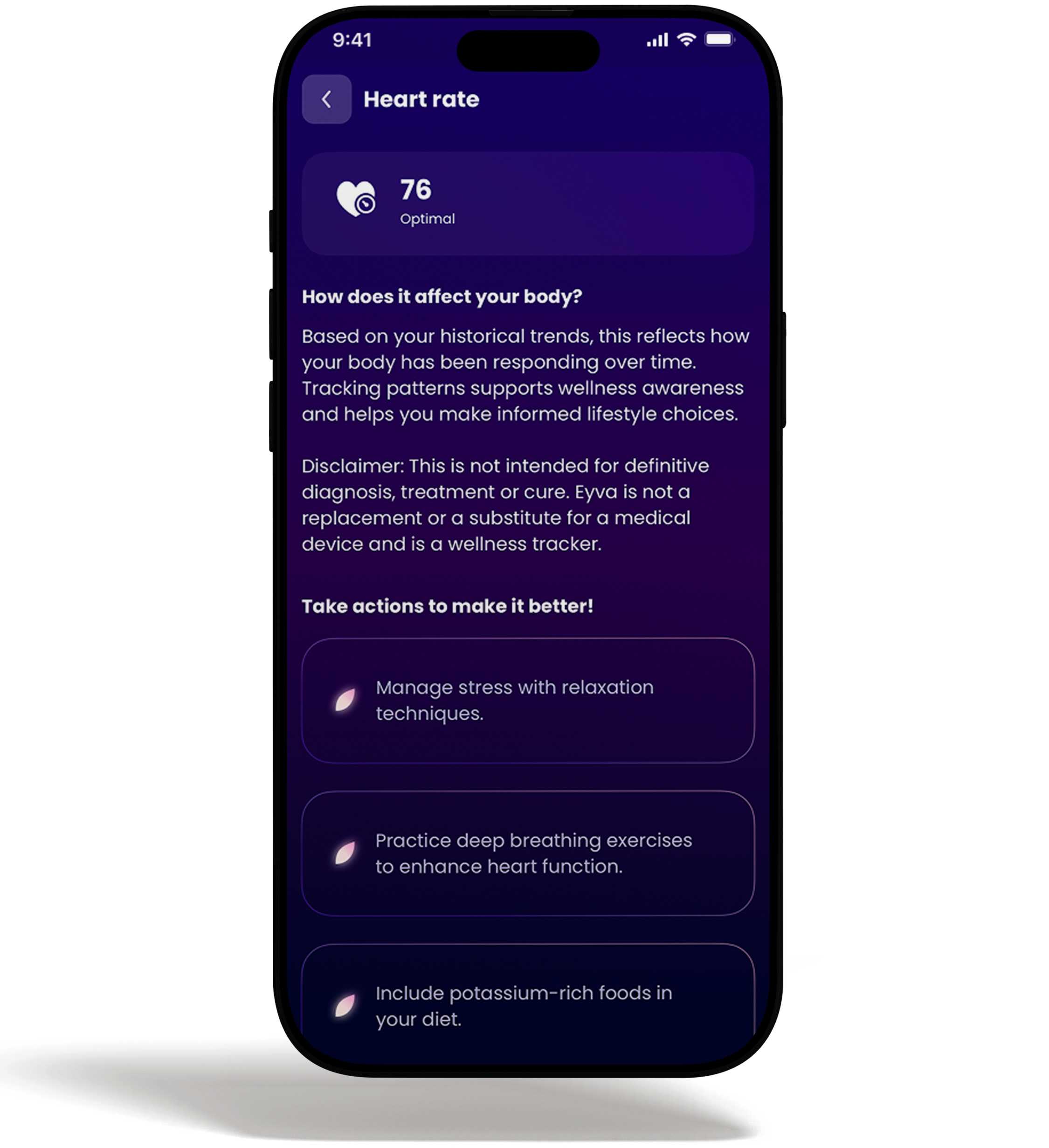
Insights, on the Eyva app, can be revealed by pressing the results and extending them further. Here, basic actions required for improving wellness are suggested based on the scan results.
Understanding Your Patterns
Learn about typical wellness patterns. This section helps you understand what general wellness patterns look like, so you can better contextualize your own scores and trends.
Best Practices
- Discover research-backed lifestyle tips to support and improve your wellness scores.
- These suggestions can help when you're looking to improve your wellness patterns.
Note: All insights and metrics are intended for general wellness awareness and trend observation only, and are not intended for medical diagnosis, treatment, or clinical use.
Trends
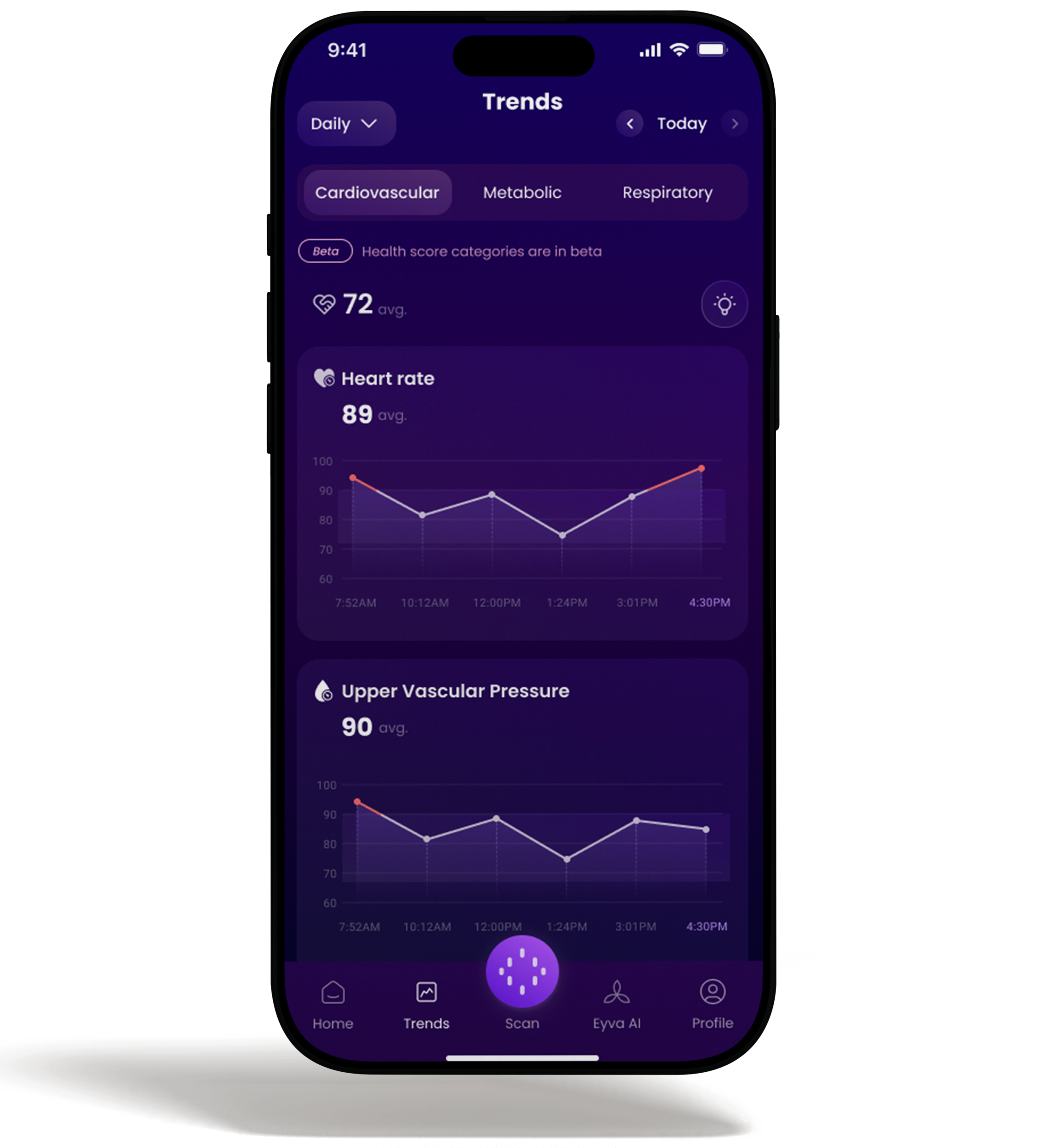
The Eyva app has 'Trends' feature for tracking the history of wellness indicators' results and utilising the same to observe the improvement.
There are three categories of trends to trace the status of wellness indicators.
Note: Outputs are based on usage patterns and user provided inputs over time.
Daily
- The daily trends represent the number of scans taken in one hour.
- On average, it accounts for hourly scans.
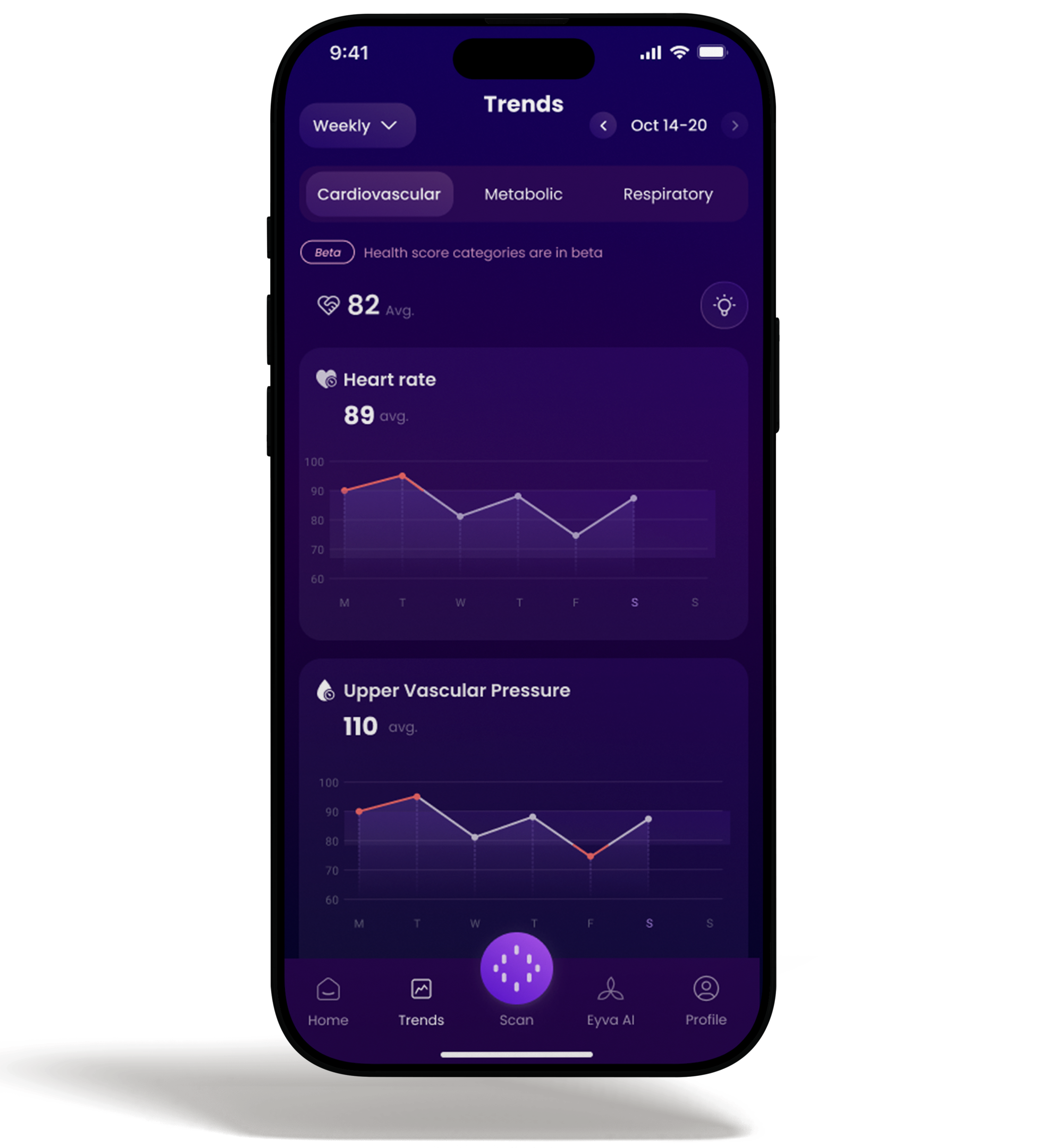
Weekly
- Weekly trends represent the number of scans done over one week.
- On average, it accounts for weekly scans.
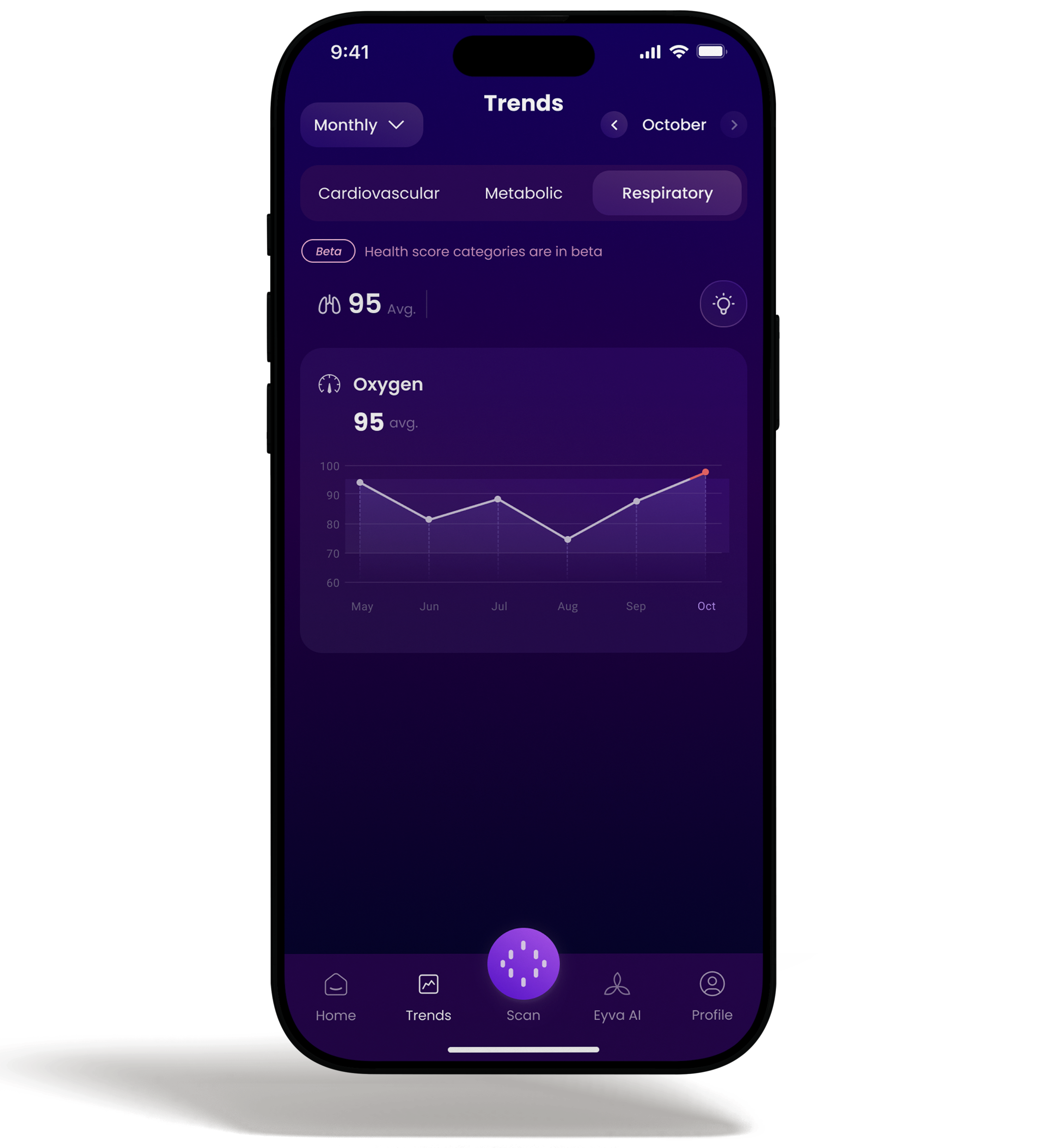
Monthly
- Monthly trends represent the number of scans done over a period of one month.
- It accounts for average monthly scan results.
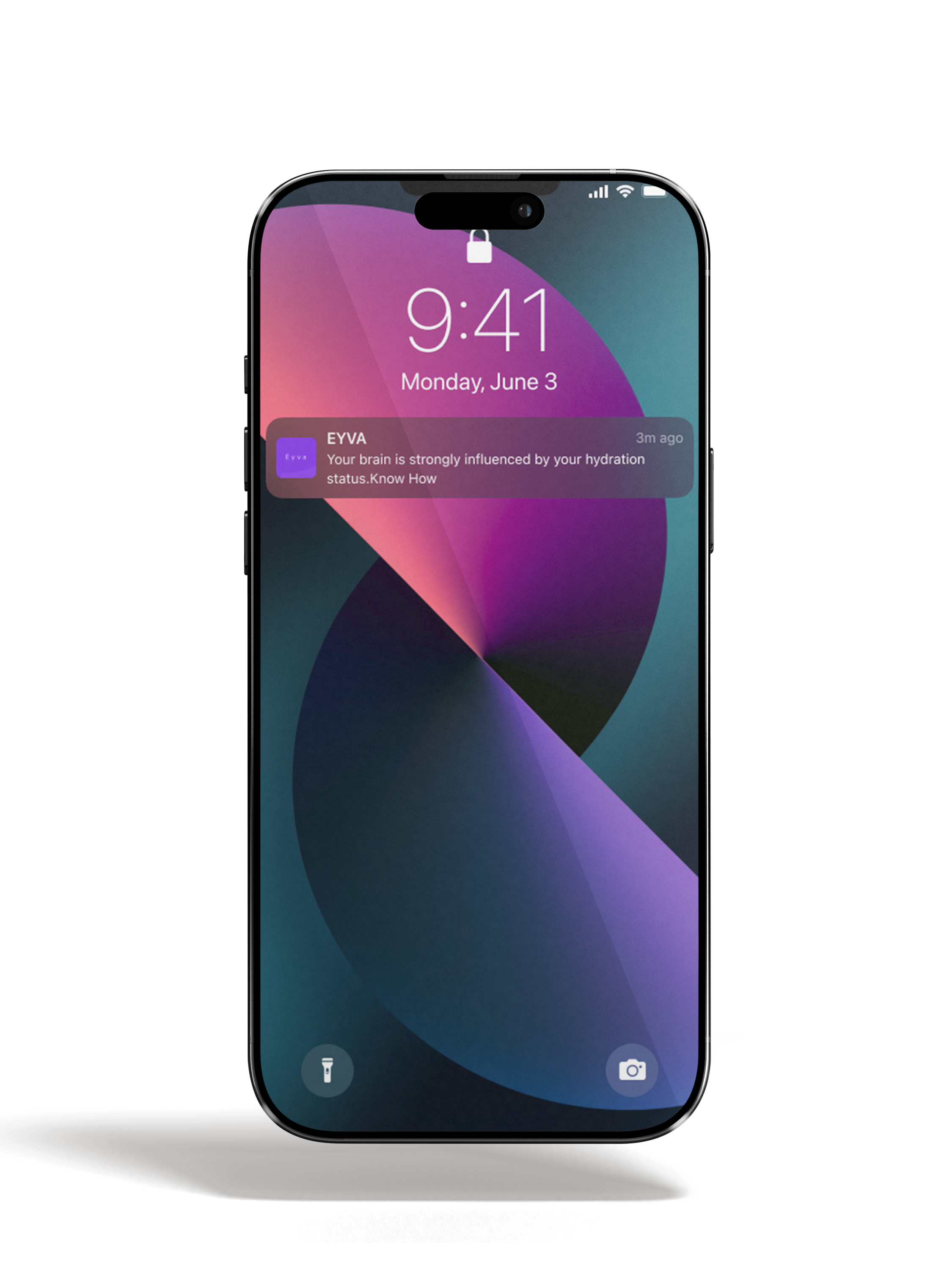
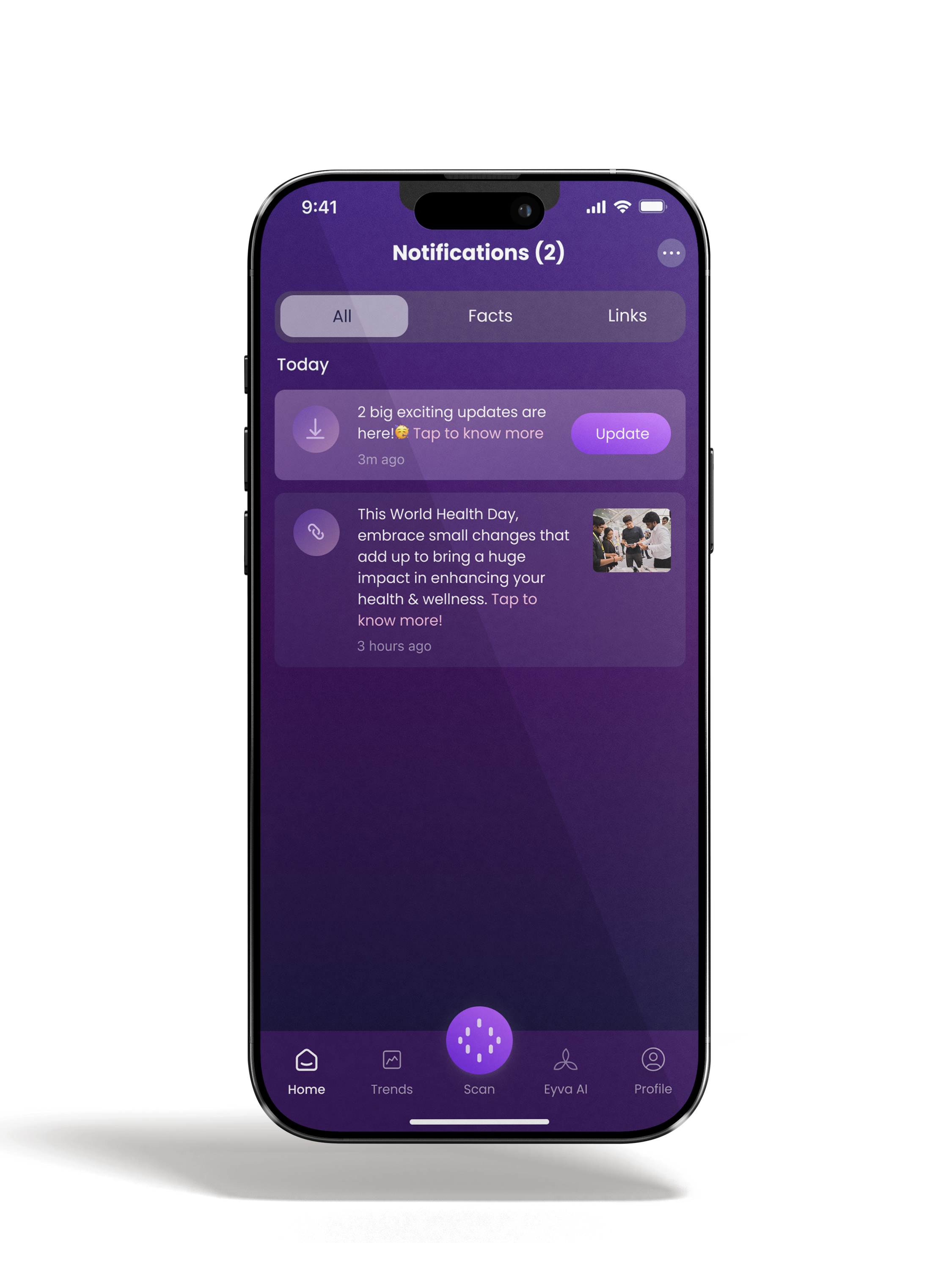
Notifications
- The Notification tab introduces to the reservoir useful and authentic wellness insights.
- The previously missed notifications can also be viewed upon clicking this option.
Profiles
EYVA: Your Family Wellness Guardian
EYVA is the ultimate wellness gadget that cares for your entire family. With EYVA, one gadget can be used by a family of 4, revolutionizing the way you nurture a healthy lifestyle and everlasting happiness.
Please note that while EYVA is suitable for everyone, it may not be suitable for children due to the possibility of mischief. We recommend EYVA for individuals aged 18 +. Additionally, EYVA is not intended to be used as a medical device for diagnosis, treatment, cure, or prevention of any disease or medical condition.
With the EYVA Family feature, you can add up to 3 user profiles to your EYVA gadget. Here's how:
- The family member should download the latest EYVA app and create their profile.
- The Admin (primary user) needs to go to the Profile section and tap on 'Add Family Member'.
- The app will prompt the Admin to select the contact number of the family member.
- An invite will be sent to the selected number.
- The family member can then go to their Profile page and accept the invite to get started.
Experience the touch of EYVA and empower your family with a holistic approach to wellness.
All in One Place
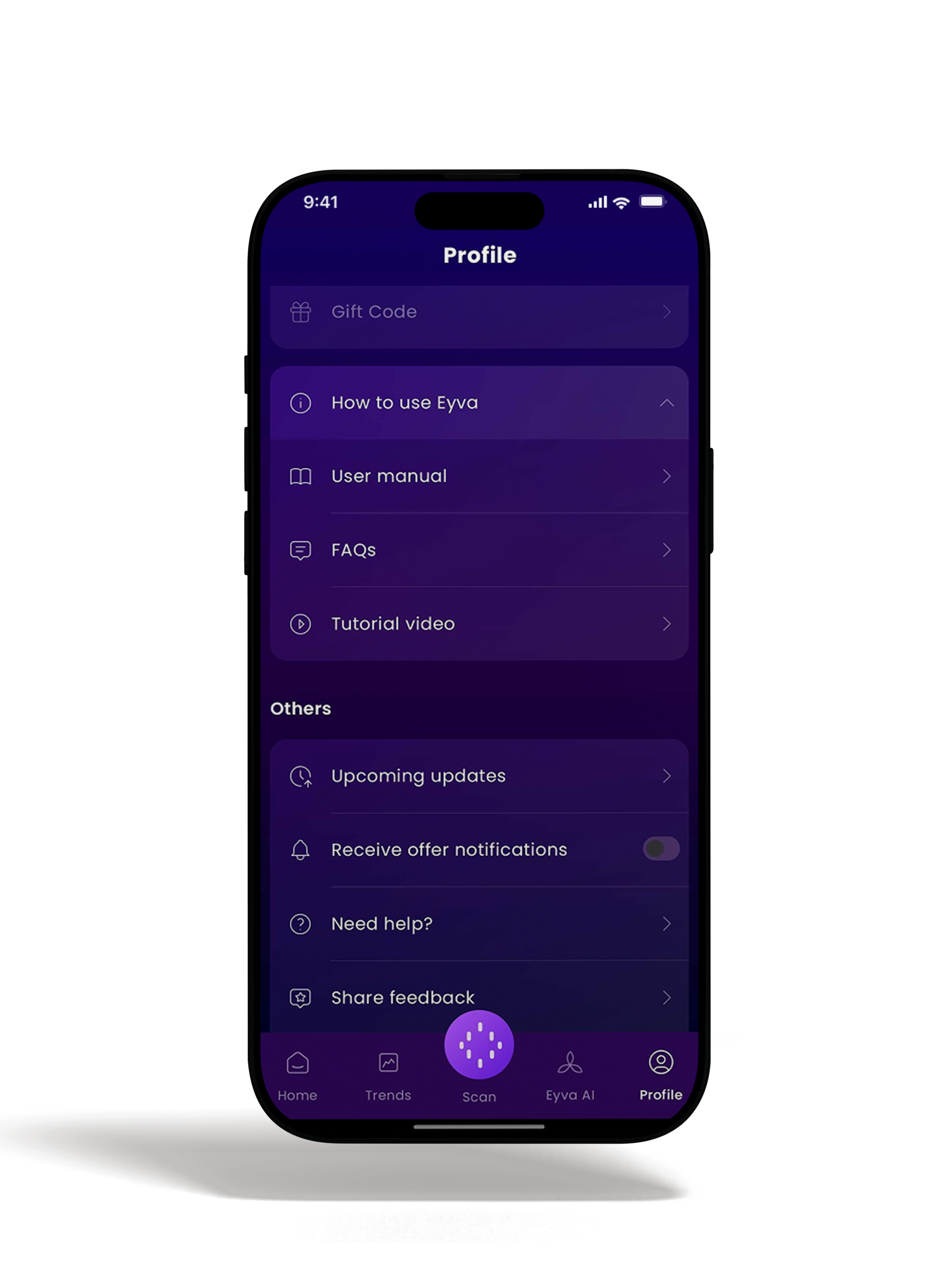
Upon viewing profile option in the EYVA app, all necessary information can be found at a consolidated place.
How to use
- This option takes users to the tips for using Eyva and most common FAQs about it.
- An easy video tutorial to get the best Eyva experience.
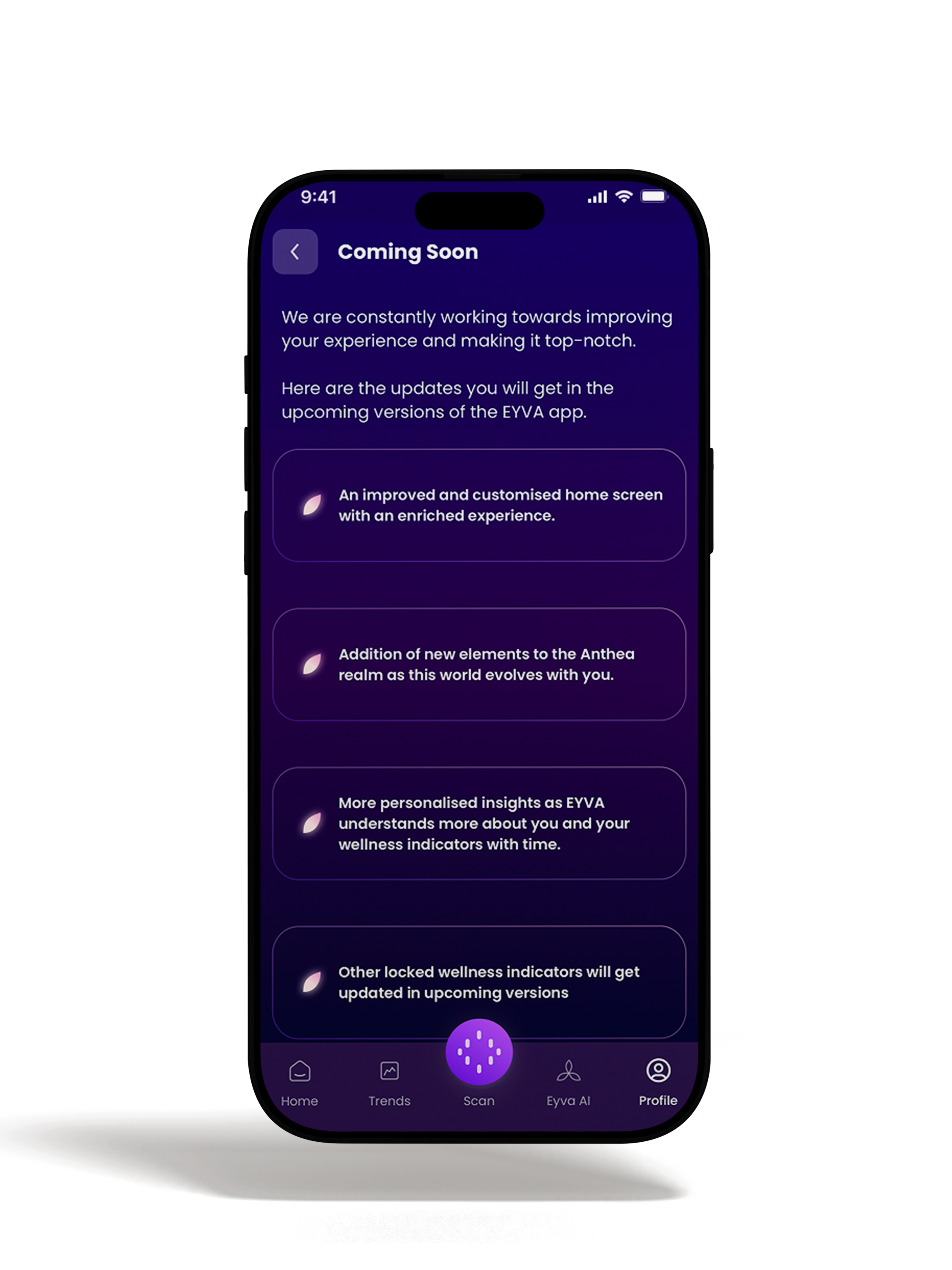
Upcoming updates
- Upon viewing this option, users get to know about all the new features of the app.
- The UX/UI improvements and updates can be viewed here.
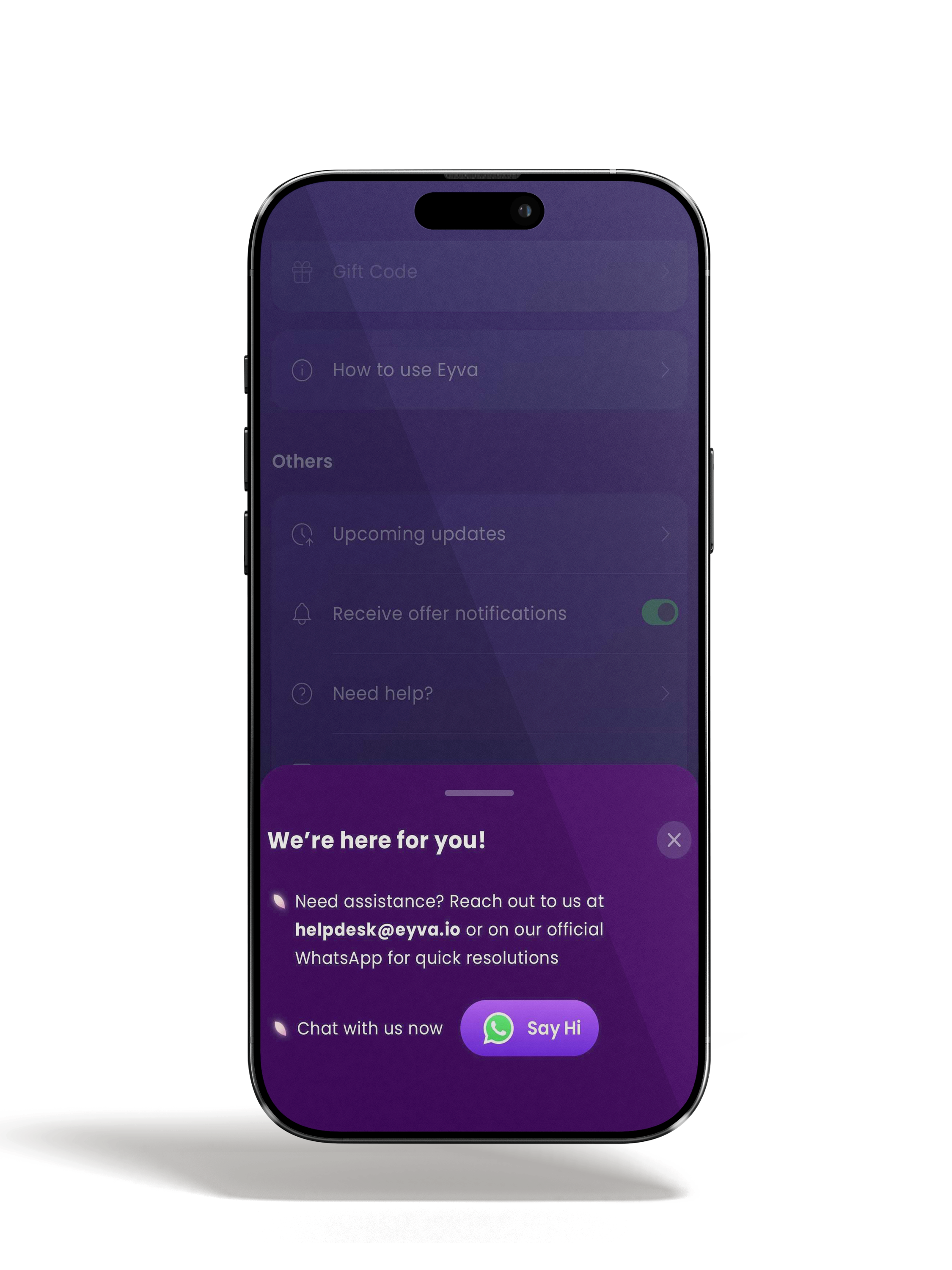
Help
- This option makes it easy to reach out to Eyva's support team.
- It takes a click to connect over Email or WhatsApp.
- We are always available to assist you, you can reach out to our customer care number +91 70323 42929.
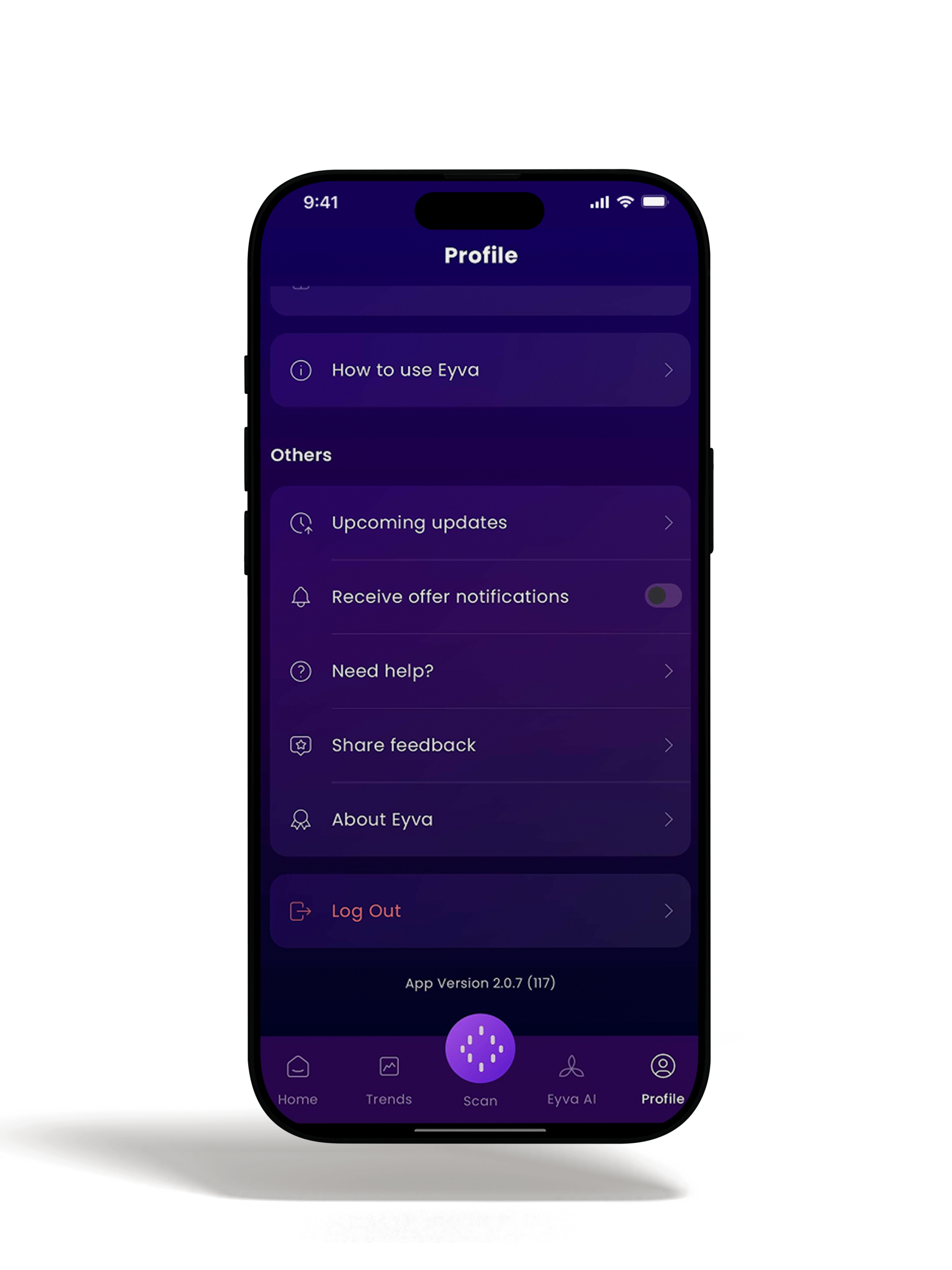
App Version
- The app version notifies if the application being used has the latest version or not.
- For any queries related to the App please, users are required to share the app version with Eyva's support team.
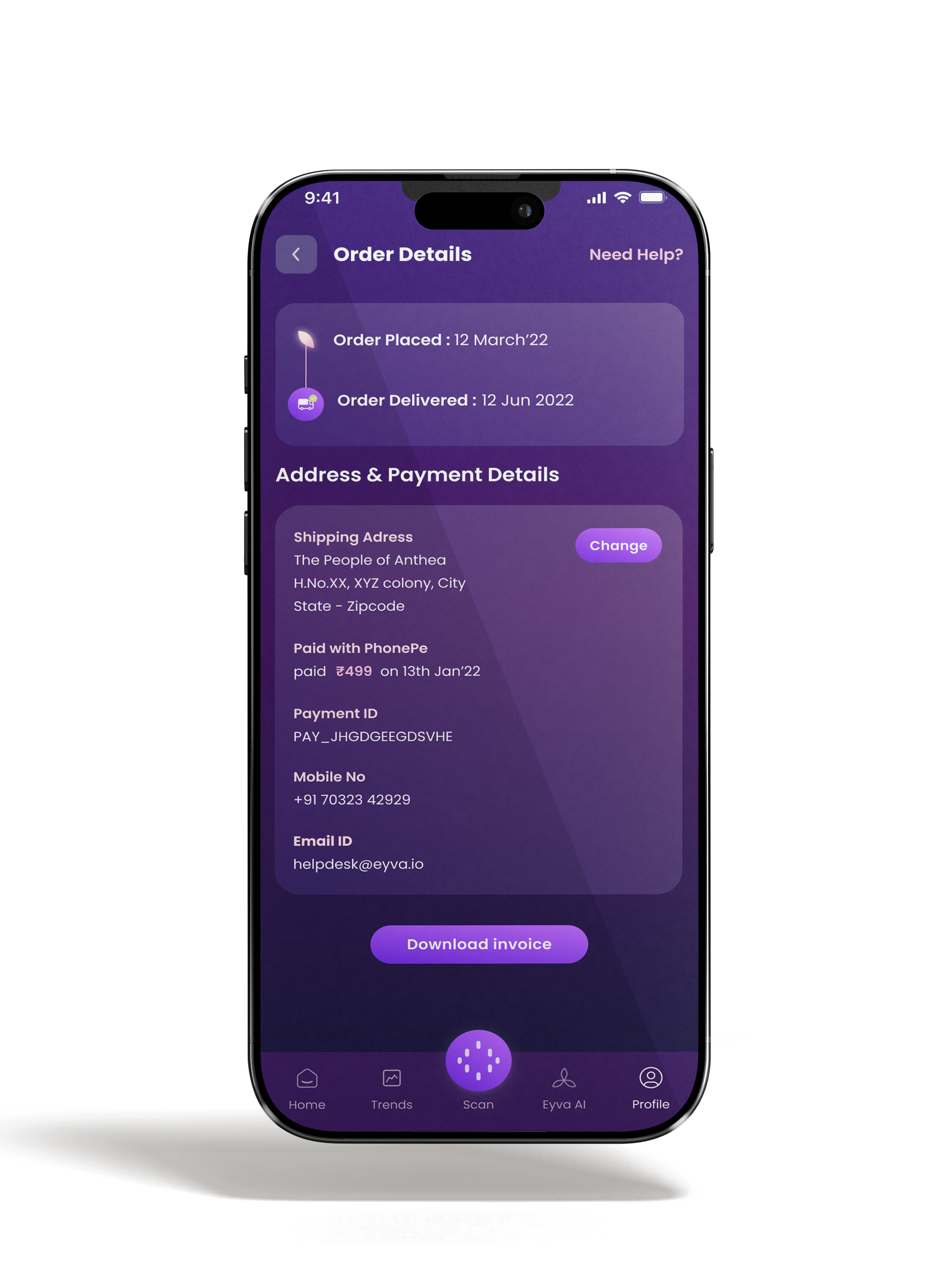
Invoice
- Users can check the invoice receipt for the gadget order.
Technical
Specifications
Battery Capacity: 600mAH
Operating Temperature: 50°F to 104°F (10°C to 40°C) /15 to 90% RH Humidity
Storage Temperature: 4°F to 140°F (-20°C to 60°C) /10 to 95% RH Humidity
Air Pressure: 700 - 1060 hPa
Main Unit Weight: Approximately 4.761 oz. (135 g)
Main Unit Dimensions: Approx. 6.06" (l) x 2.55" (w) x 0.7" (h) (154 mm x 65mm x 20mm)
*NOTE: These specifications are subject to change without notice.
Other Quality and Safety Certifications
- Built with high-grade components and a quality-first manufacturing approach.
- Every EYVA unit undergoes rigorous testing to ensure a reliable, consistent wellness experience.

Safety & Compliance Icons
Please refer to these icons for important safety and usage information:
Refer to manual
Do not dispose in trash
Indoor use only

IPX0 rating
Disclaimer
EYVA is a lifestyle and wellness product designed for general wellness awareness and trend observation. It is not a medical device and is not intended to diagnose, treat, cure, or prevent any disease or health condition.
Wellness scores are generated by proprietary algorithms based on sensor signals and user-provided inputs. They are not clinical measurements and should not be used for medical decision-making or as a substitute for professional medical advice, diagnosis, or treatment.
If you have a health concern, please consult a qualified healthcare professional.